Deploy Ecommerce Microservices App in Linode K8s cluster
Back to projects
Demo project of deploying a microservices ecommerce application inside a kubernetes cluster in Linode LKE (Linde Kubernetes Engine)
Technologies
Overview of what we're deploying
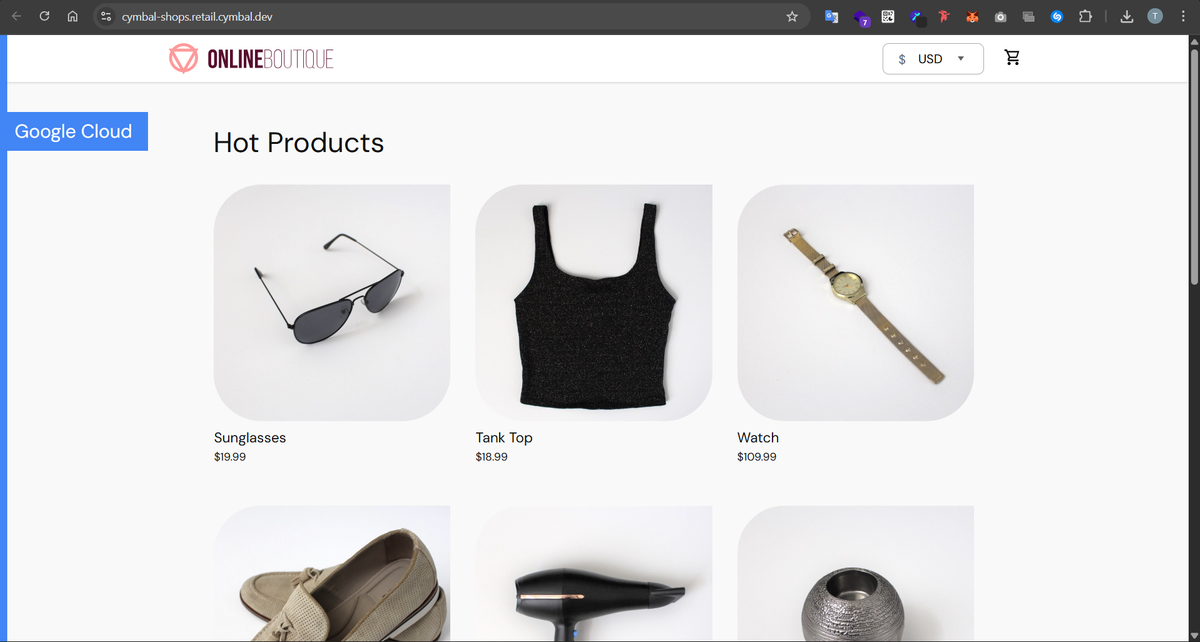
We're gonna try to deploy a microservices ecommerce store into Linode LKE service for demo purposes... the ecommerce app looks something like this:
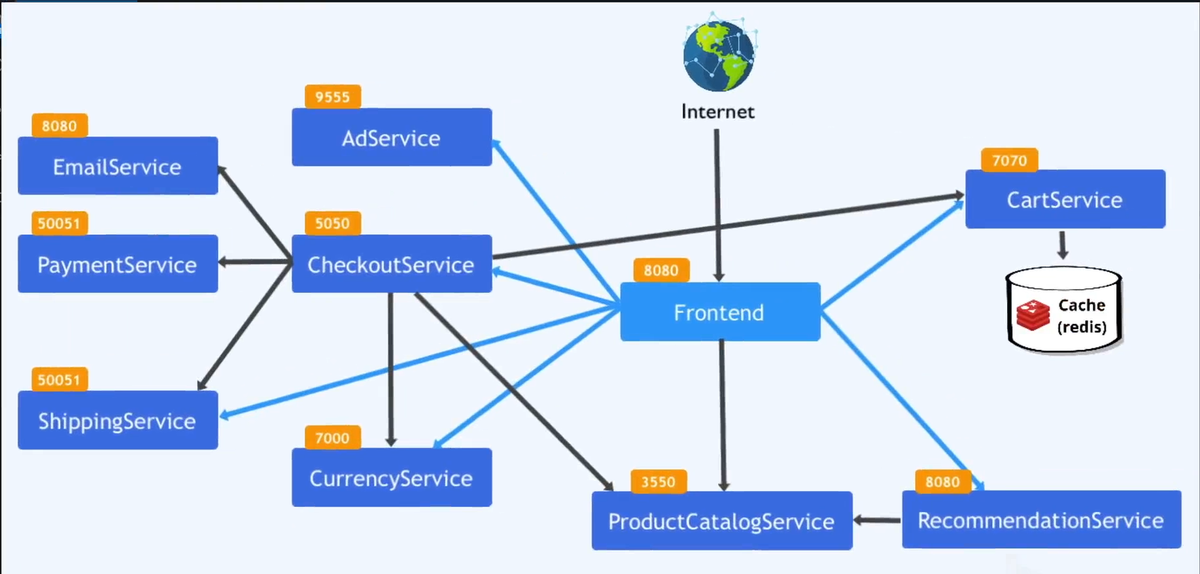
The involved microservices and their ports can be visualized like this:
Config.yaml file
To get this deployment done asap, we're gonna have all our necessary deployments/services defined inside the same k8s manifest file.
1- Emailservice deployment and service
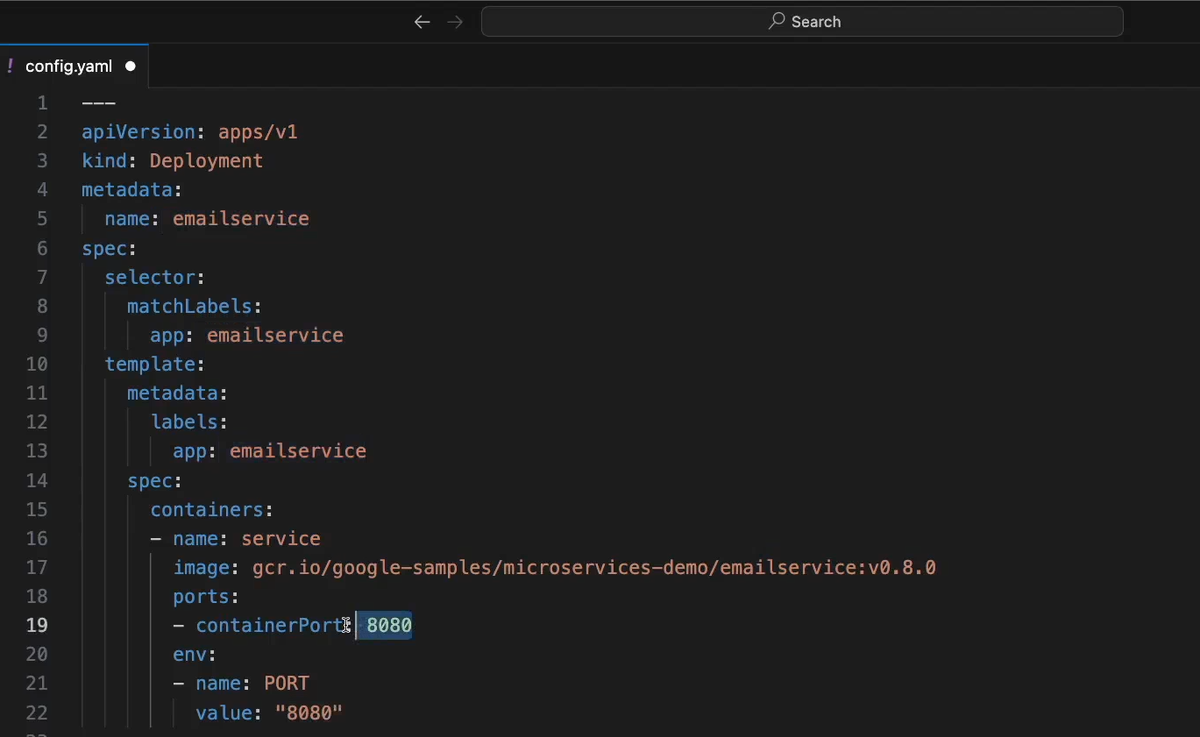
for the emailservice deployment, we specify the docker image name, container port (8080) and provide the container's internal env variable for the microservice to know which port it should run on (8080)
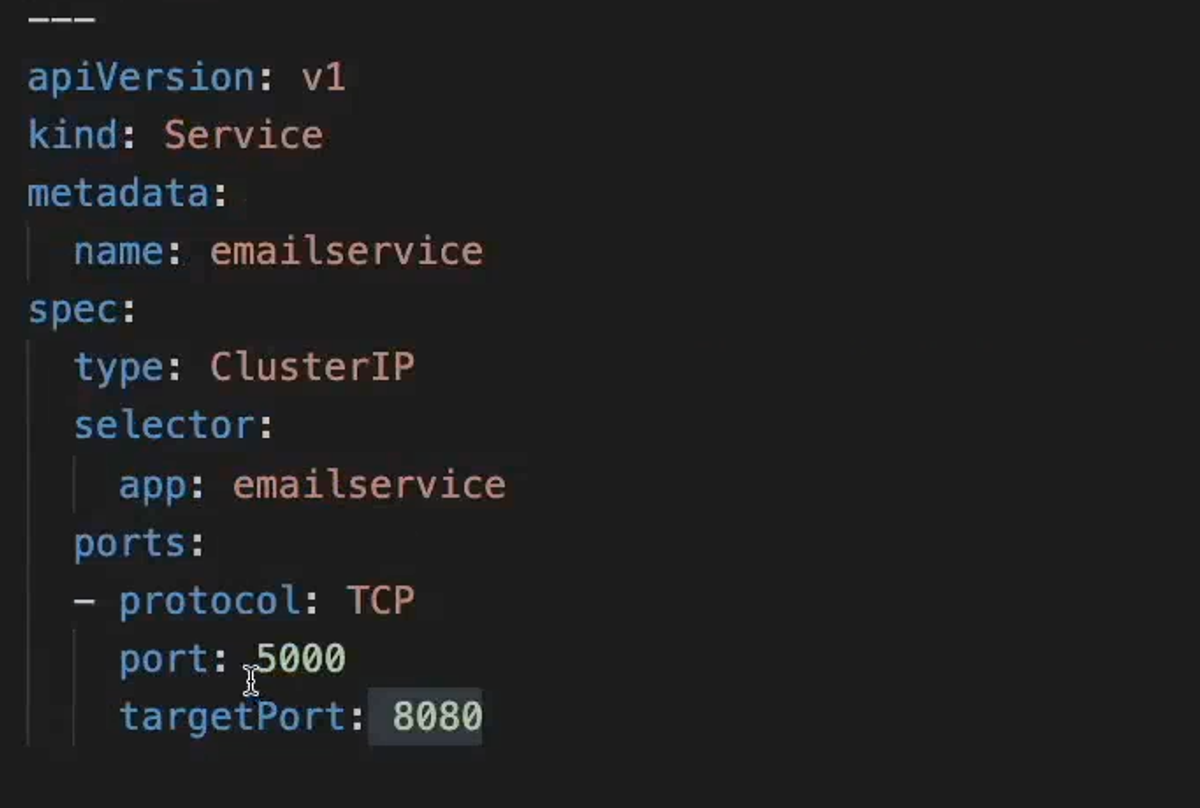
for the emailservice's Service, we expose port 5000 for internal communication with other microservices, this 5000 port is mapped to the pod's port 8080 which is then mapped to the container's 8080 port
2- Recommendationservice deployment and service
this is similar to setup as the emailservice with the only difference being that we need to provide the connection url for the productCatalogService as an env variable for the recommendationservice pods

Codewise, inside the deployment configuration we specified the underlying container image name (coming from google) for our recommendationservice pods. We also set the container port to be 8080 and inject that value as an env variable ("PORT") alongside the Product_Catalog_Service_Addr env variable which we set it to productcatalogservice:3550 which will resolve to the static productcatalogservice's IP address and the traffic will be then forwarded to productcatalogservice's pods that are also running at port 3550.
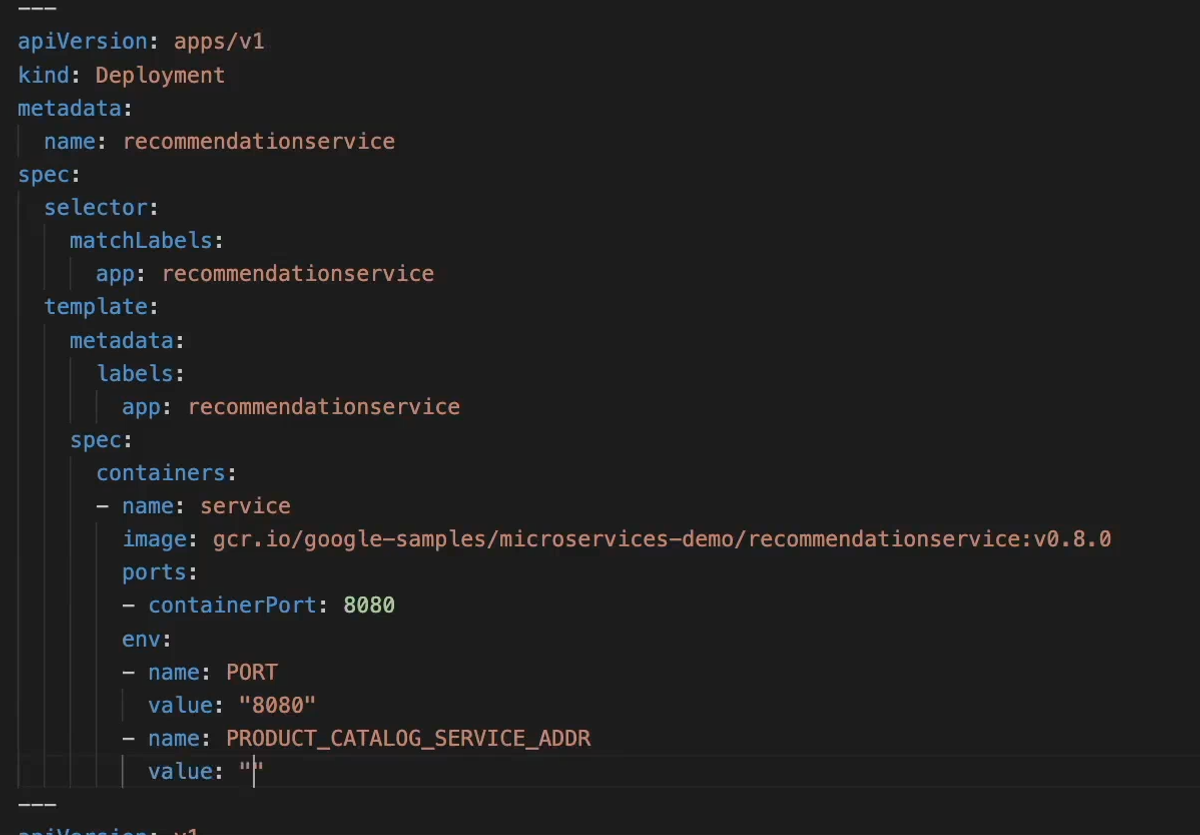
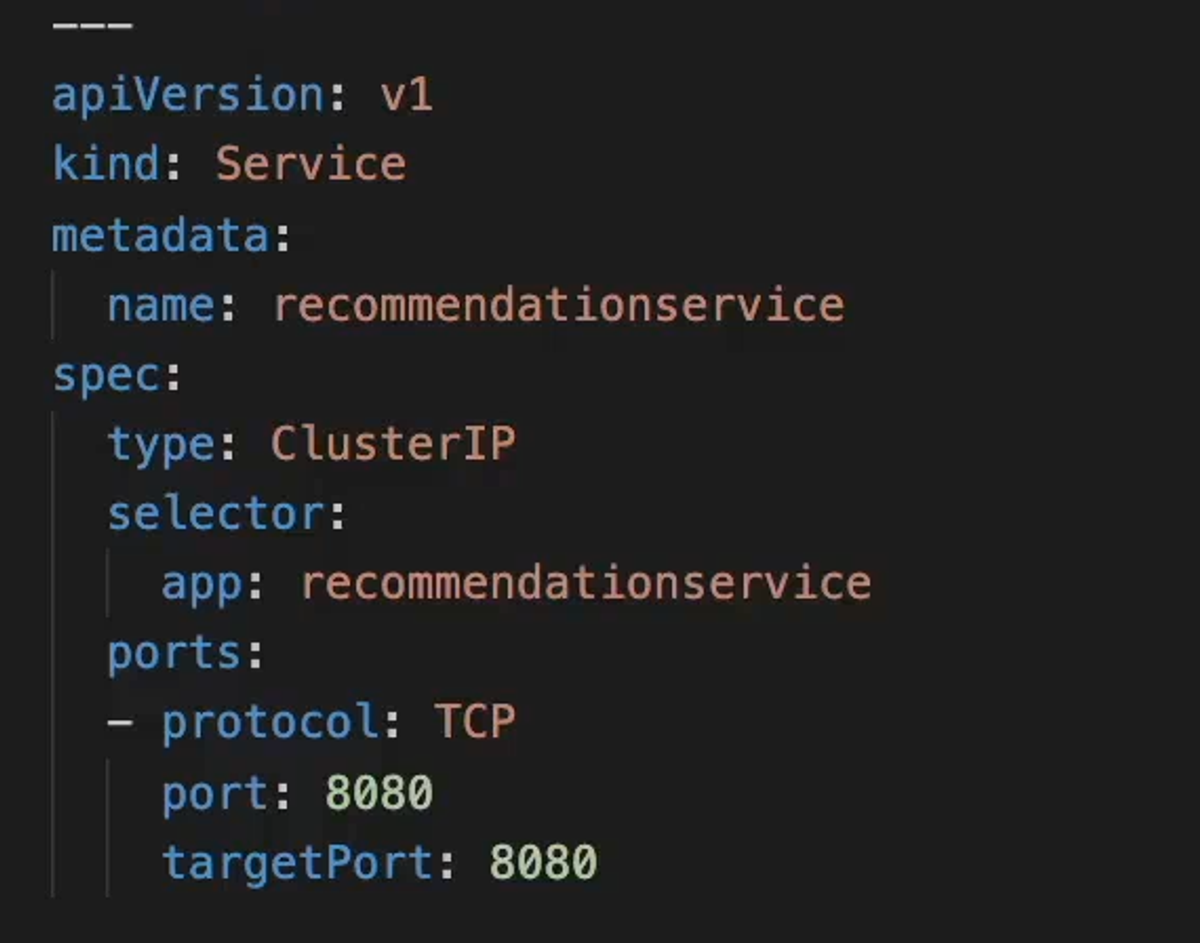
for the recommendationservice's Service, we set it as ClusterIP type which will allow internal communication between it and other microservicesinside our same cluster namespace. For the port we match recommendationservice pods' port 8080 with the service aswell and set it to be 8080.
3- Productcatalogservice deployment and service
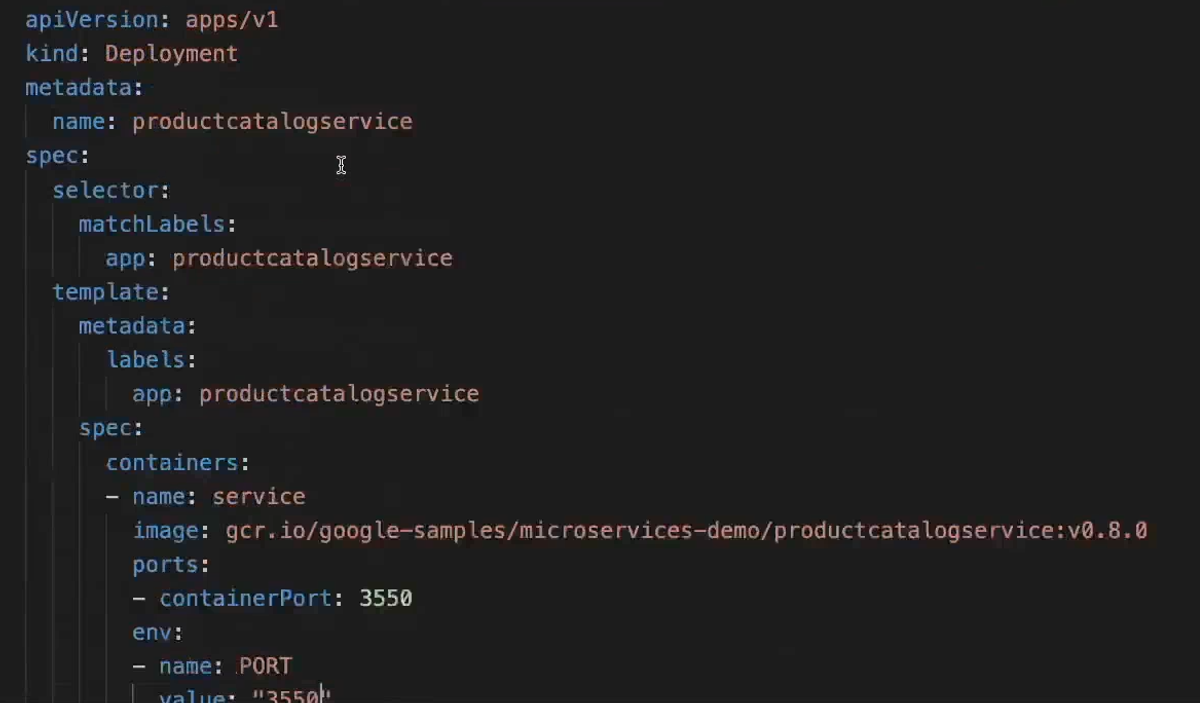
As usual, we specify the image name for our microservice and the port (3350) that its pods will expose and map them to the underlying container port (3350)
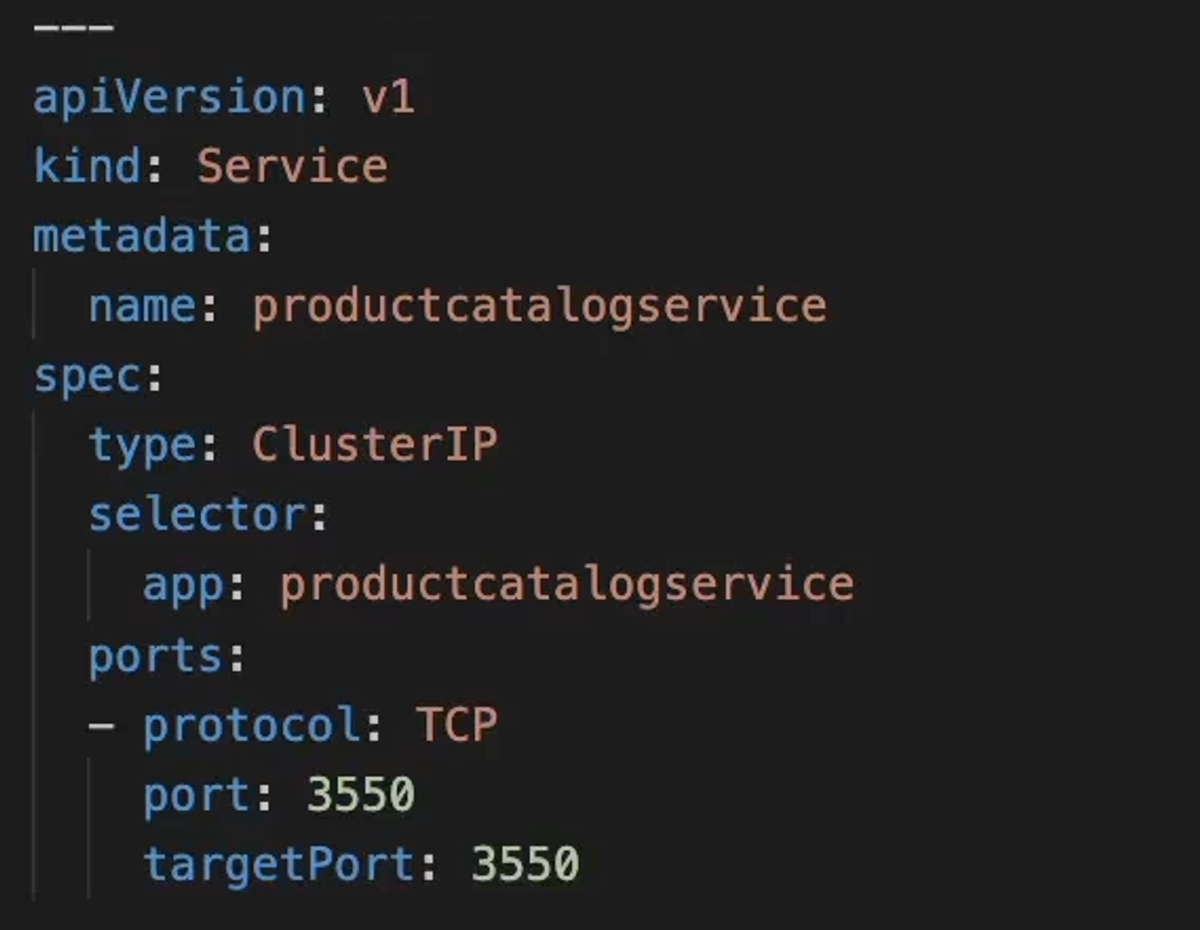
for its service, we use the same 3550 port which forwards the traffic to the pods named productcatalogservice at port 3350. For service type we use ClusterIp which allows only internal communications with other services at that port.
4- Paymentservice deployment and service
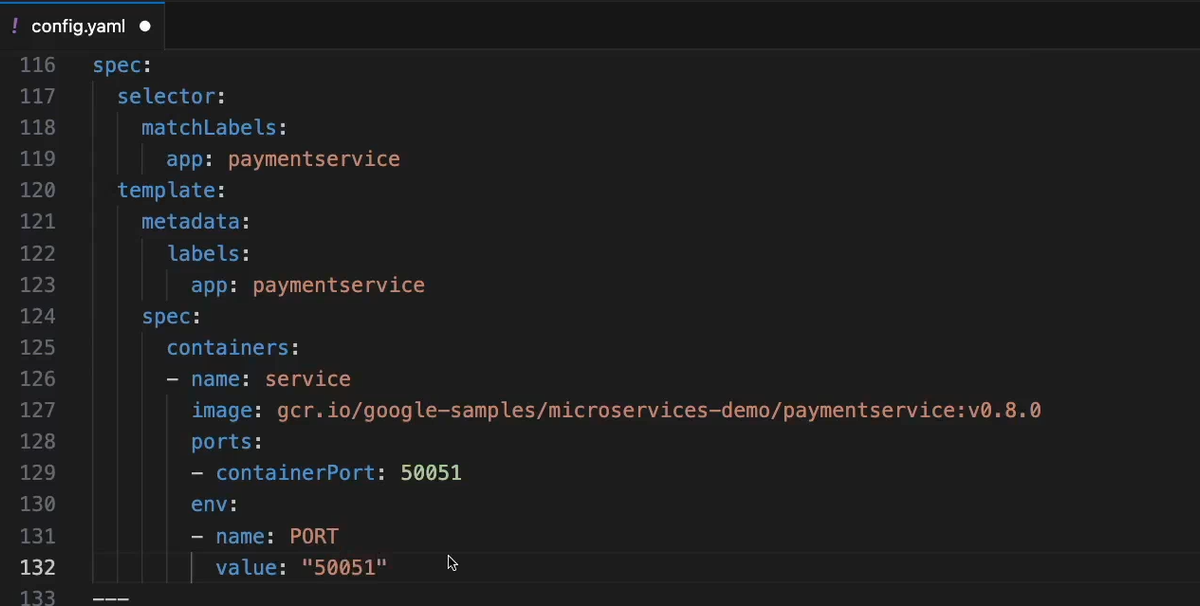
For the deployment we use similar patterns as we did for the microservices that dont need to send traffic to other microservices and only expect to receive traffic.
For the paymentservice we set the pod and the underlying container to both run on port 50051
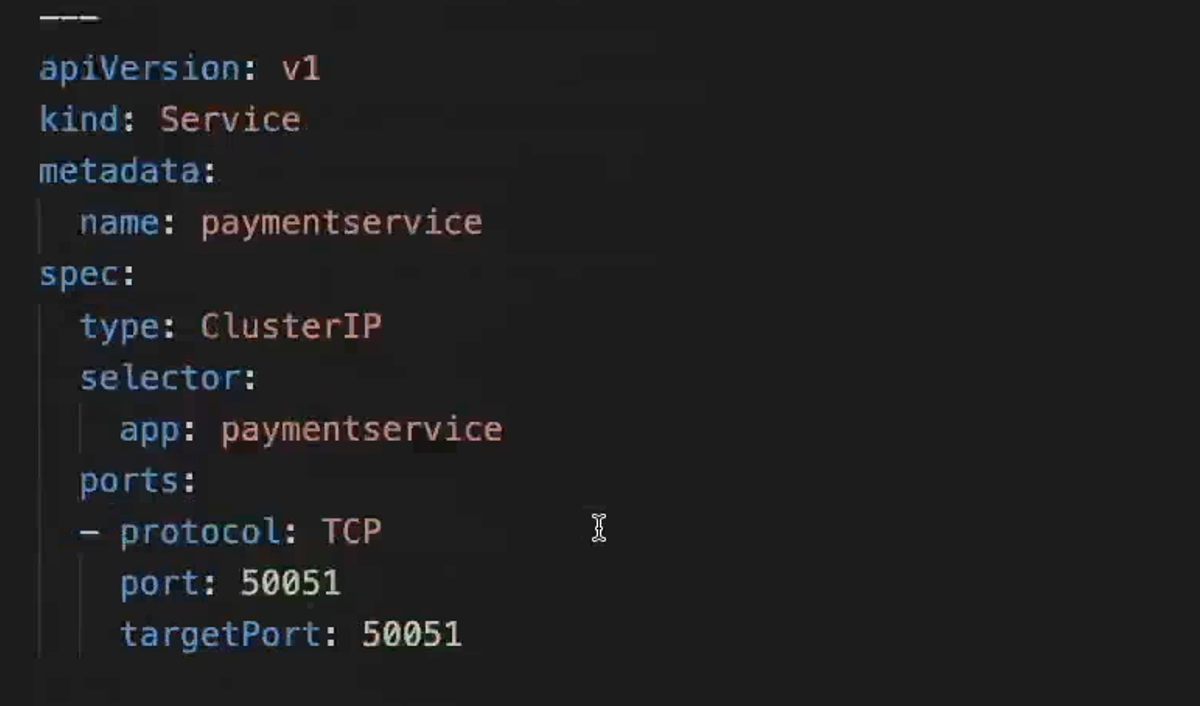
For the service we persist the port 50051 and also attach it as the port for the service.
5- Currencyservice deployment and service
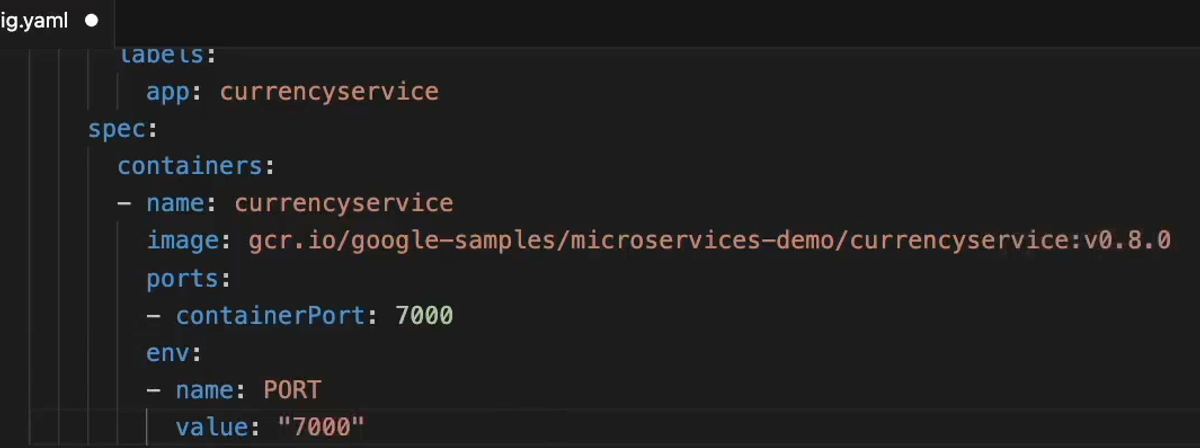
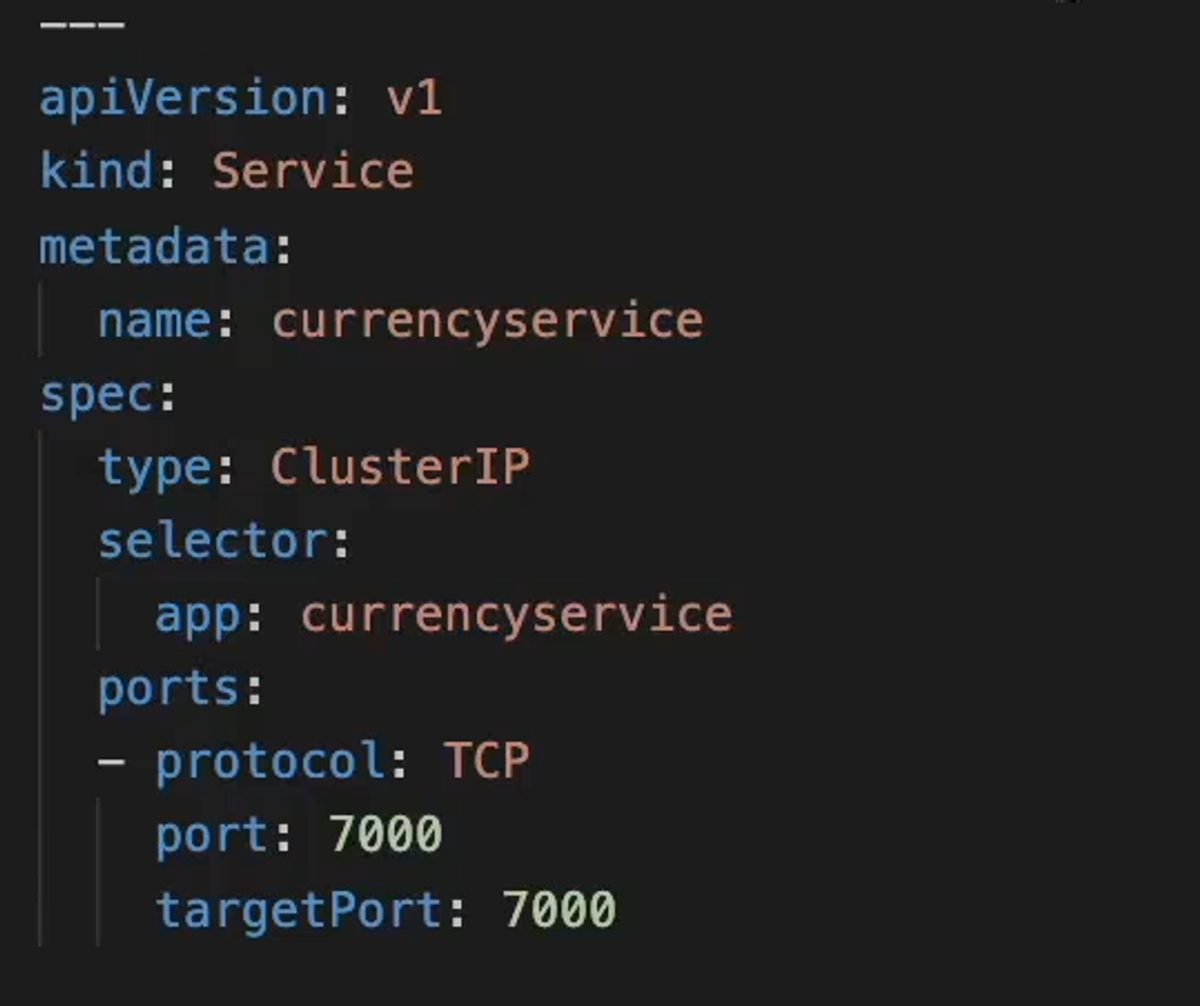
We use similar patterns like we did in paymentservice's deployment and service configuration. the only difference is the port of the pod/container/service is now 7000
6- Shippingservice deployment and service
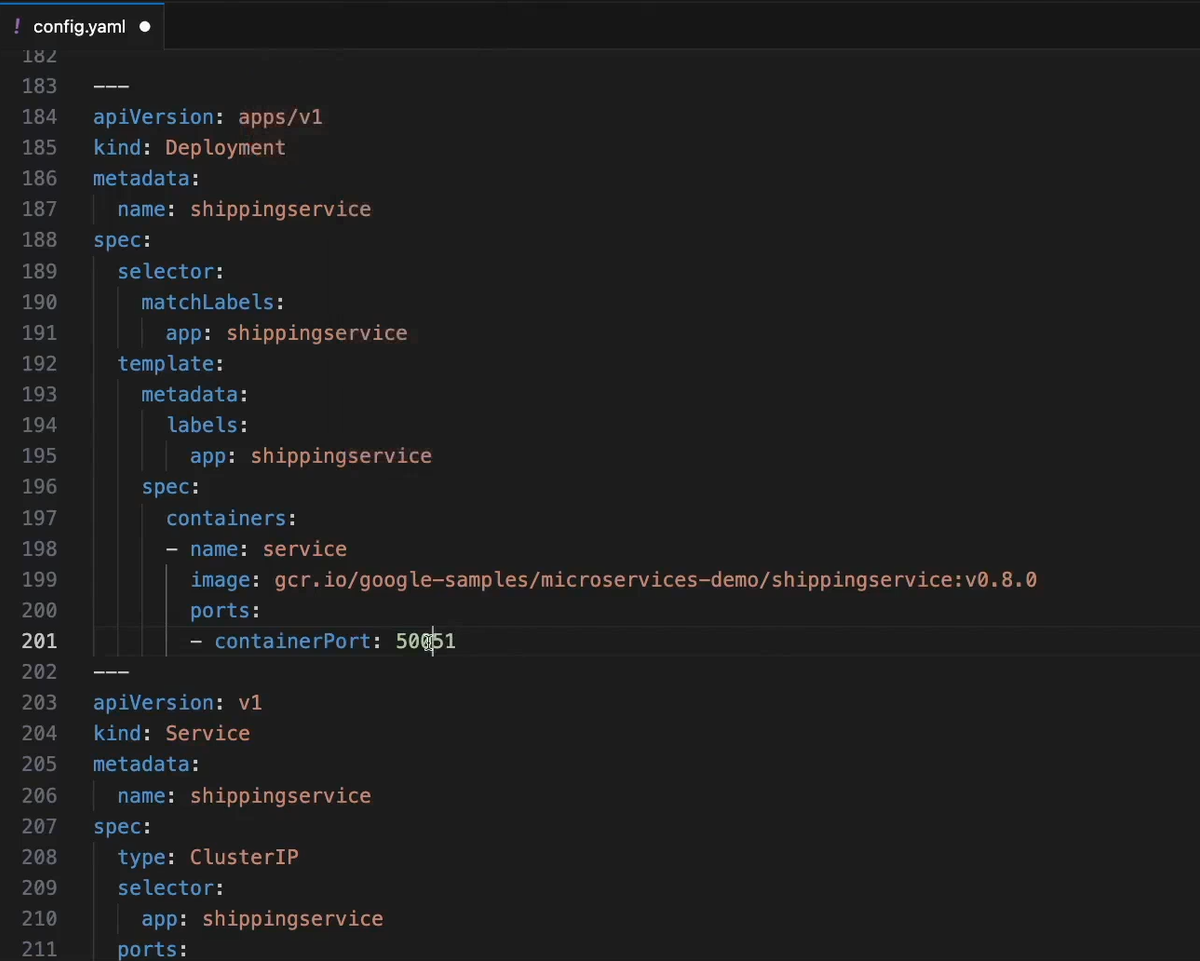
Also similar to paymentservice and currencyservice and the only difference is the port of the pod/container/service is now 5051
7- Adservice deployment and service
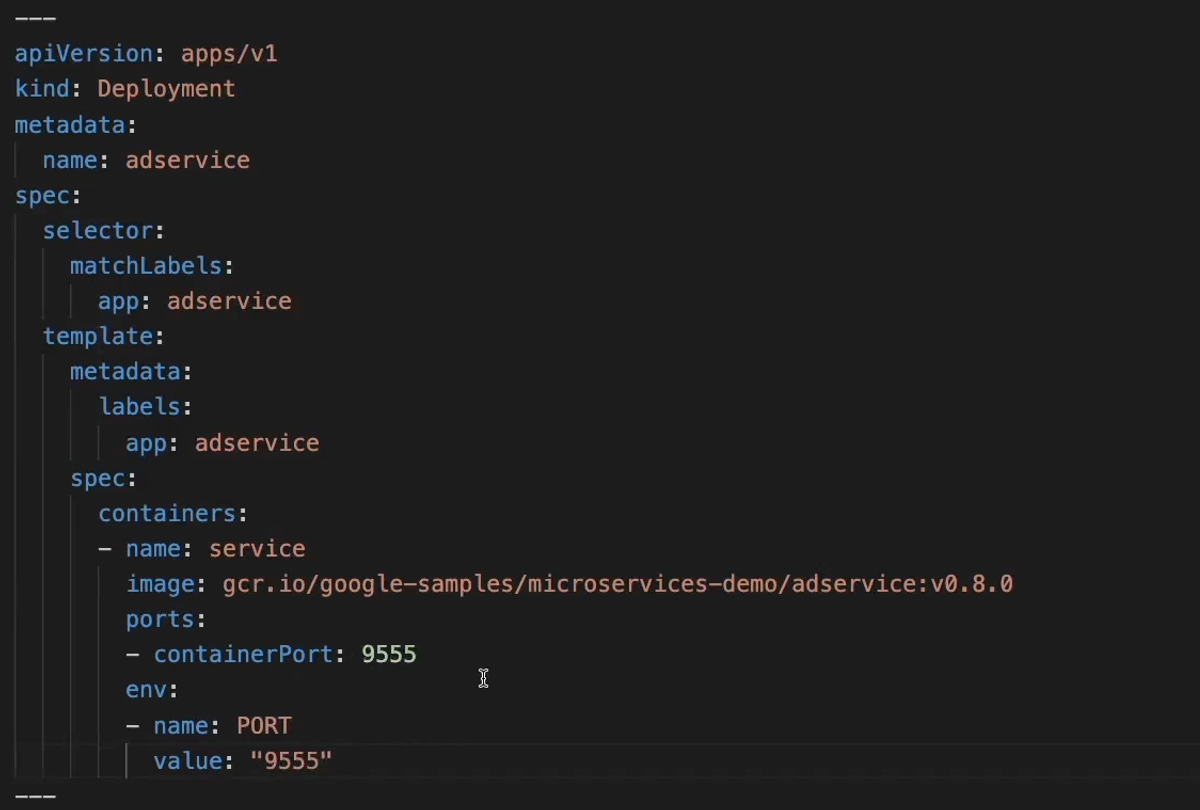
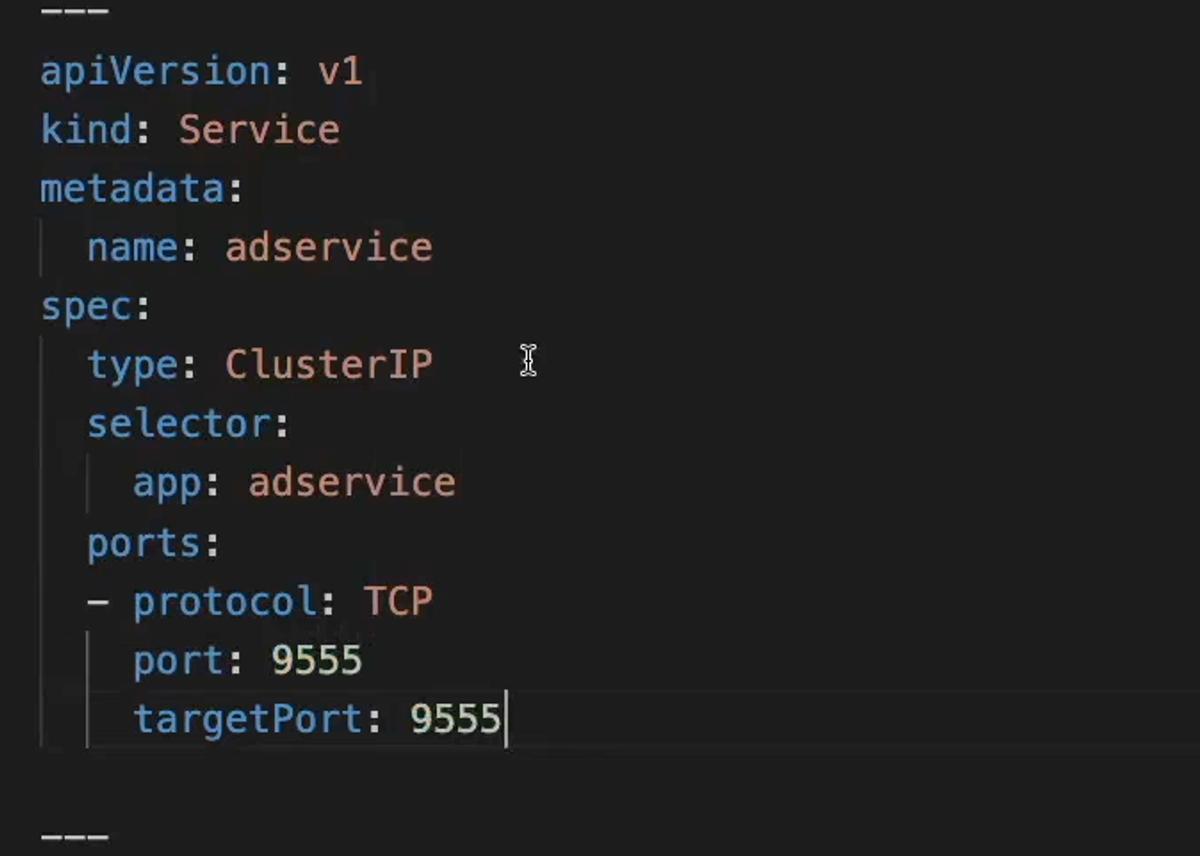
Also similar to paymentservice, currencyservice and shippingservice and the only difference is the port of the pod/container/service is now 9555
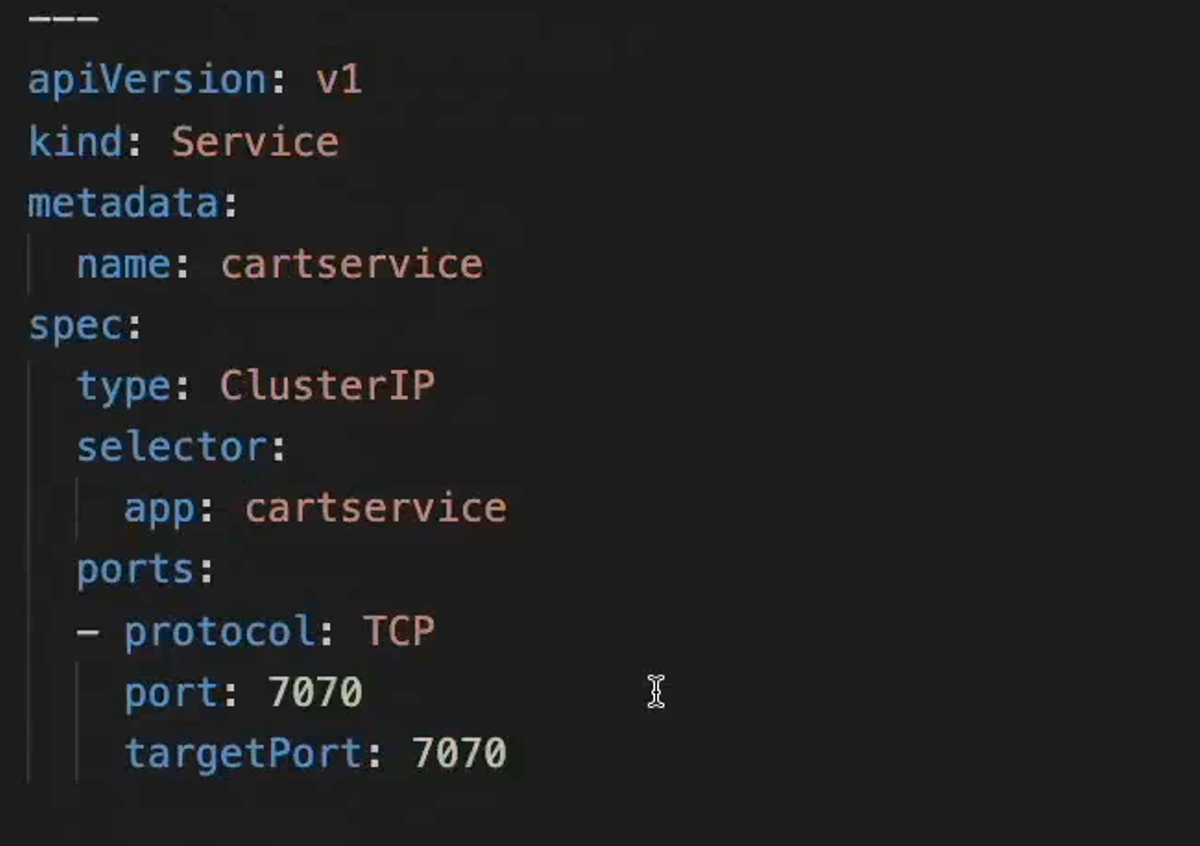
8- Cartservice deployment and service
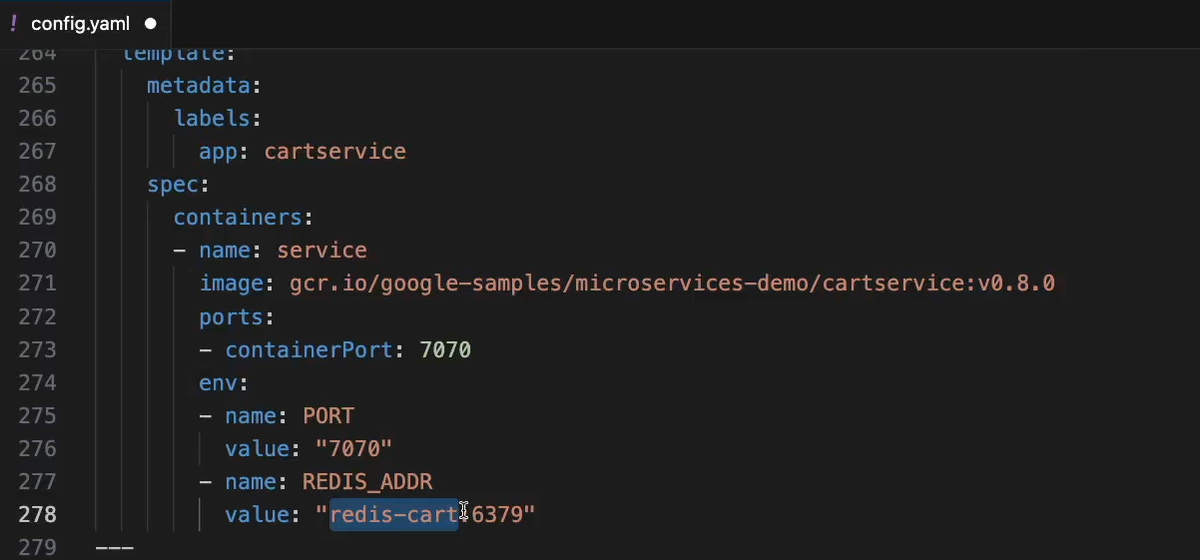
Also similar to paymentservice, currencyservice, shippingservice and adservice and the difference is the port of the pod/container/service is now 7070. We also set the address of our rediscartservice's Service as an env variable for the pod's container so it can access the redis db and work with it.
9- Rediscart deployment and service
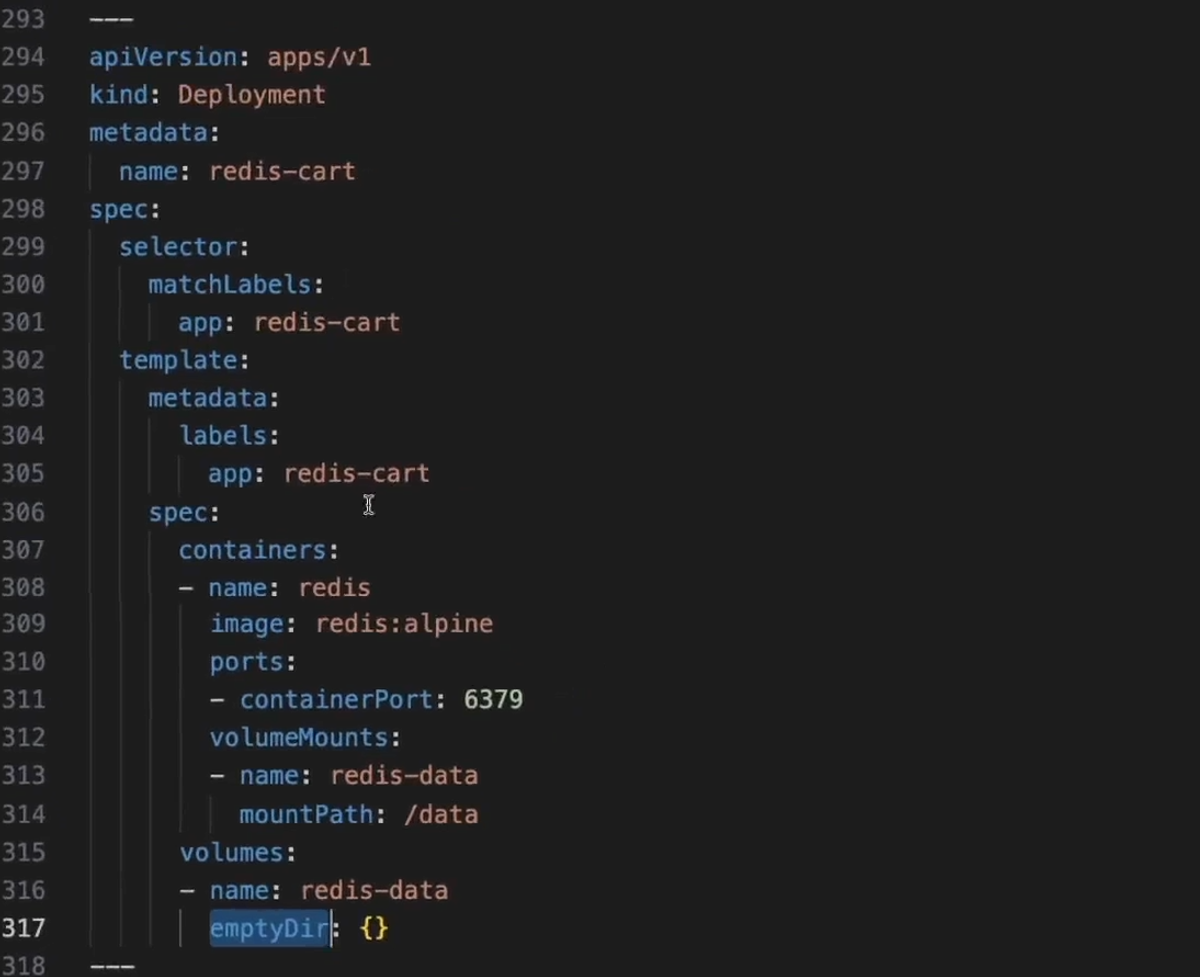
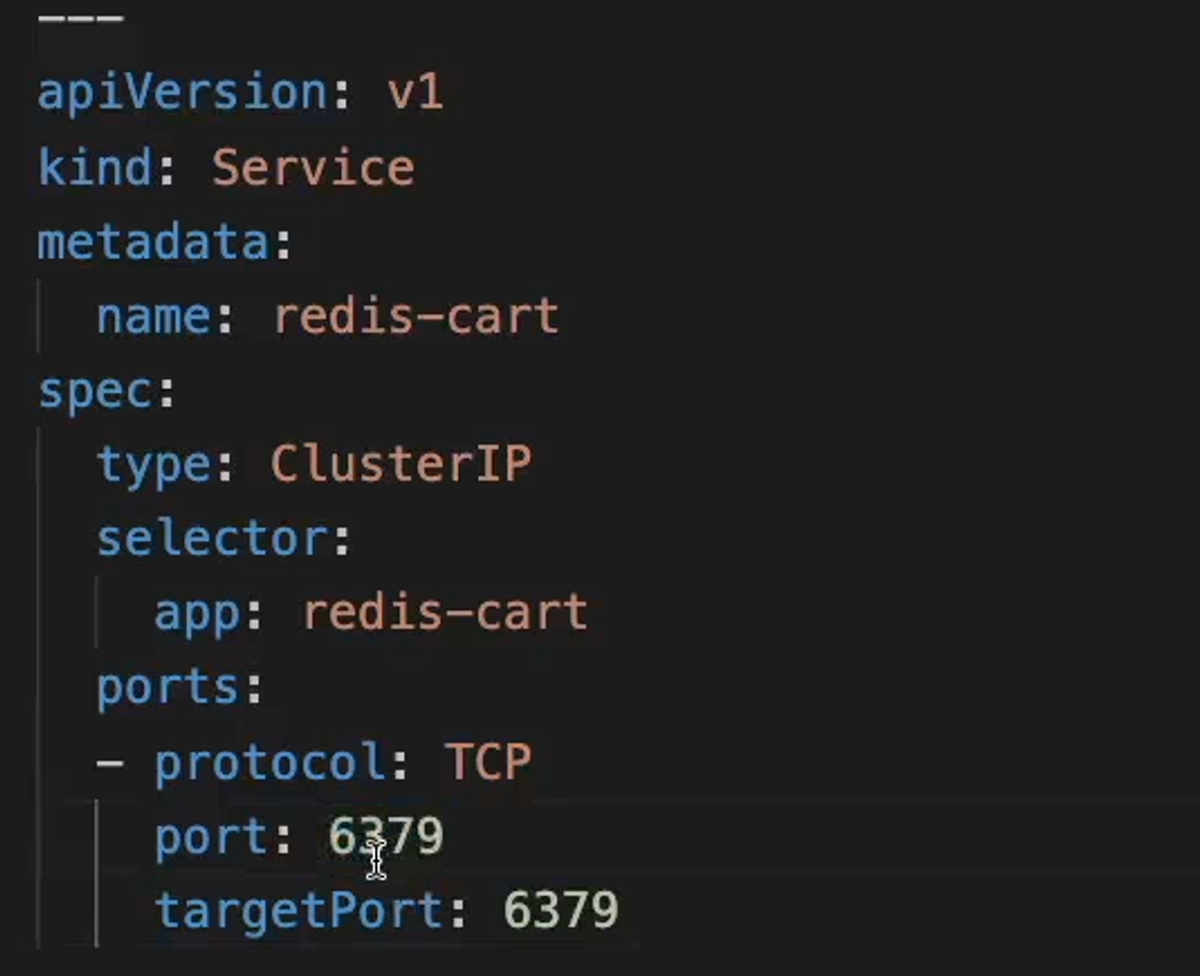
This is our redis in memory db that is needed in our ecommerce project. The port of its pod/container/service is 6379 and it will be used by our cartservice microservice.
We mount an emptyDir volume to our pod which is a volume type that is suited for memory dbs like redis since it keeps persisting as long as the pods of that deployment are alive. The moment they crash/restart a new emptyDir volume will be mounted on the redis pods and the previous one will get deleted. (if the pods' underlying redis containers crash/restart, the redis data persists).
10- Checkoutservice deployment and service
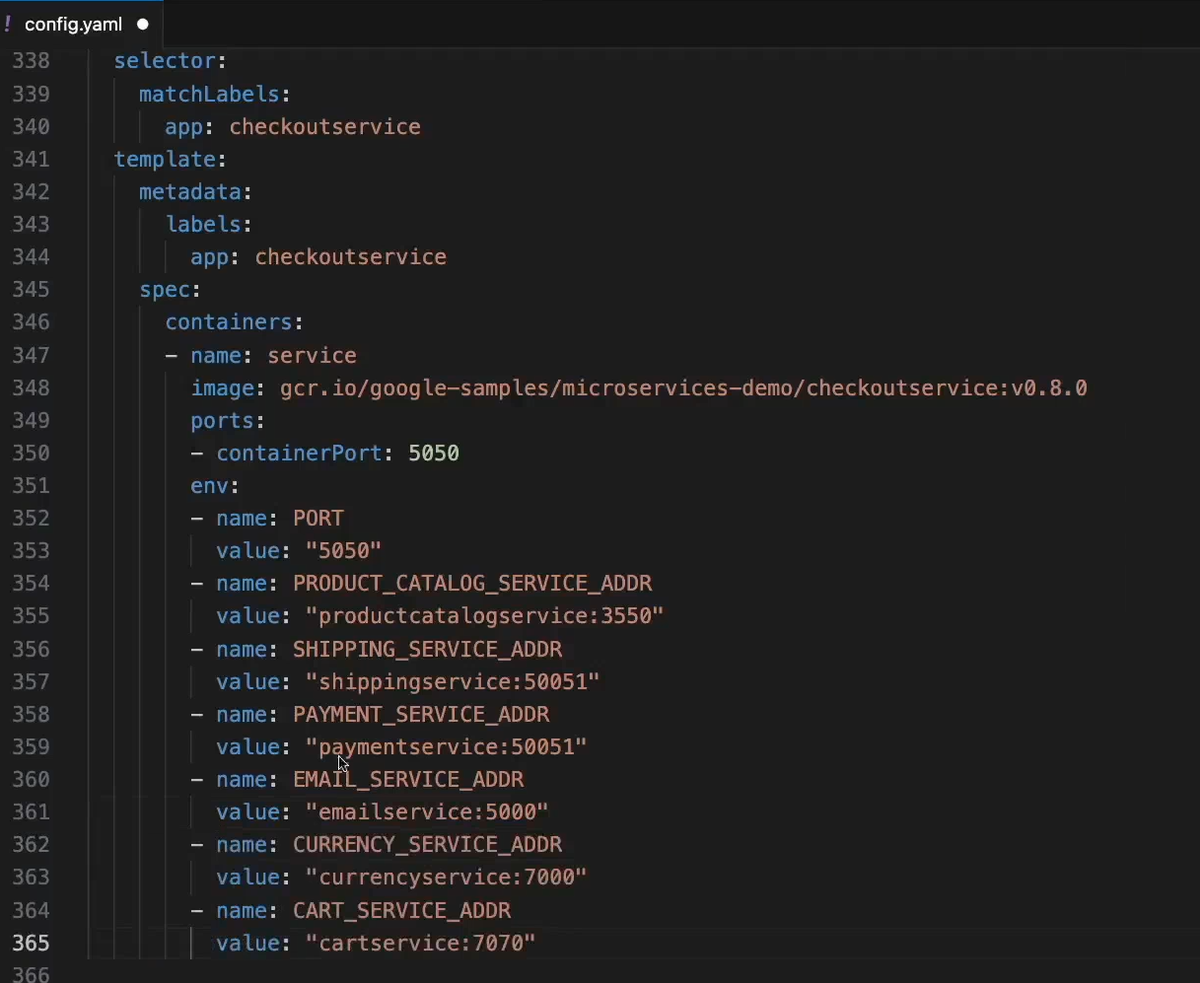
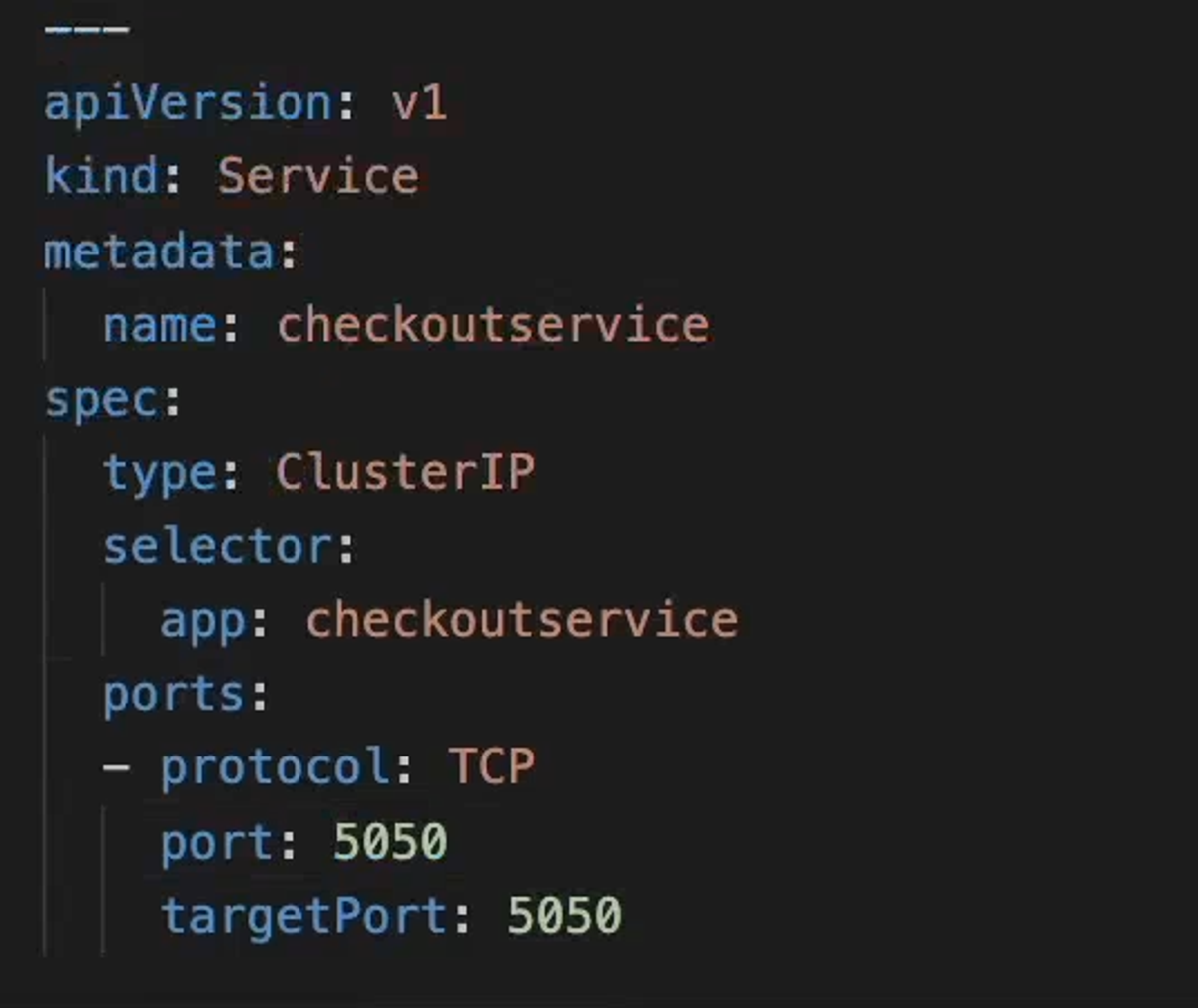
checkoutservice's service/pods/containers will run on port 5050. And the inbound traffic flow looks like:
other microservices -> checkoutservice Service (checkoutservice:5050) -> checkoutservice pods (port 5050) -> checkoutservice containers -> (port 5050)
As for the outbound traffic, our checkoutservice microservice needs to talk to many other of our microservices. So we need to pass the address url of each one of them in the form of nameService:servicePort as env variables so they can be used inside the code of checkoutservice to reach those other microservices.
11- Frontendservice deployment and service
For the frontendservice, we specify the service/pod/container port to be 8080.
We also need to pass the url addresses of the microservices it needs to communicate with.
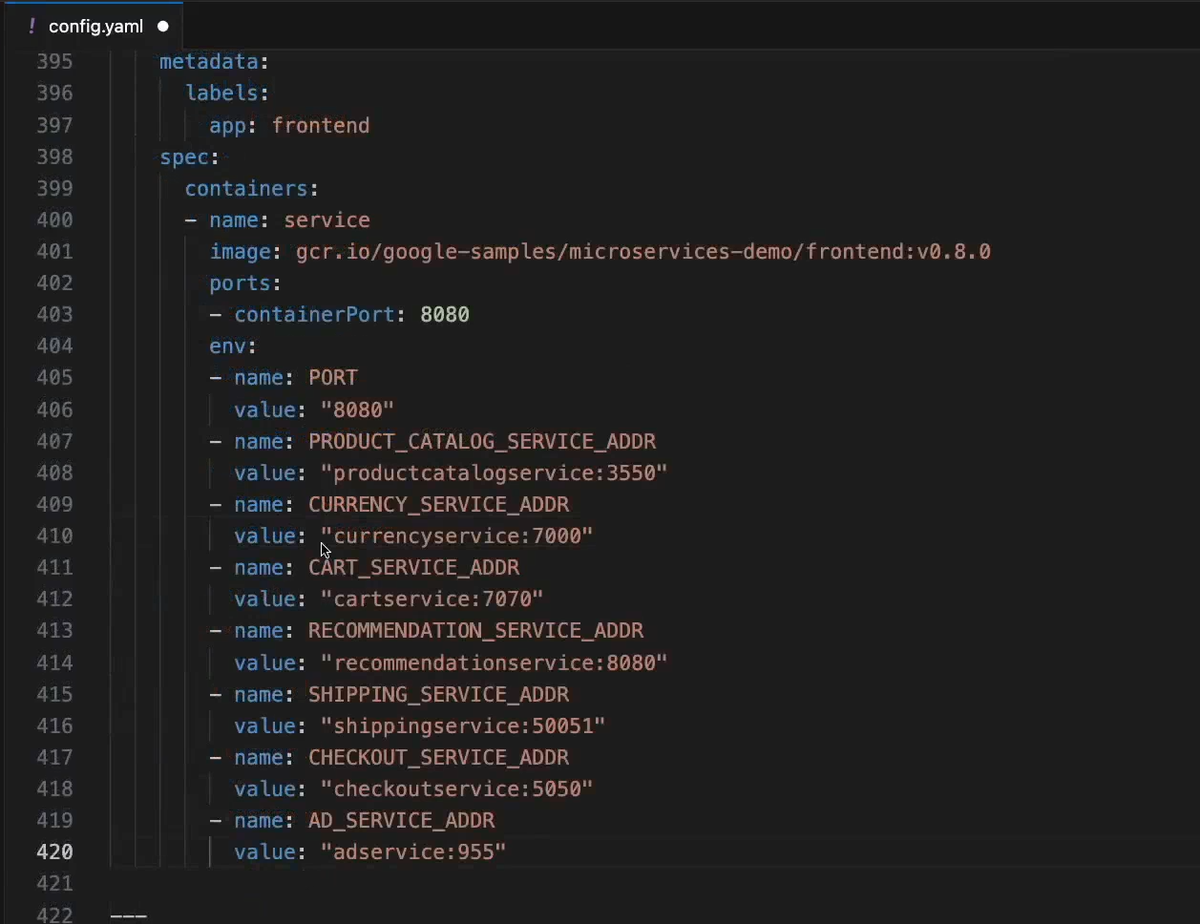
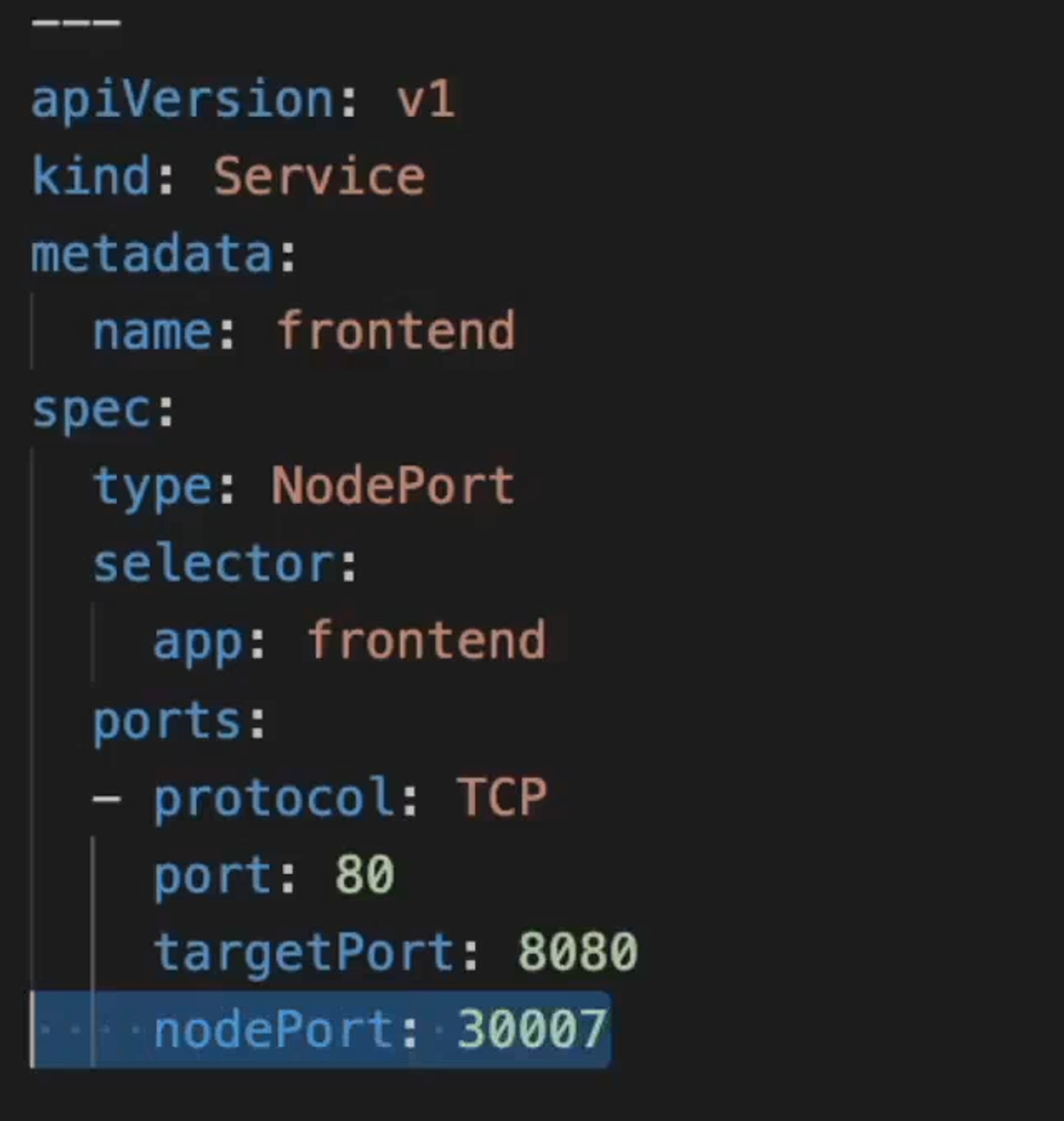
For the frontend service, we configure it in a way such that the traffic flows like this:
- External traffic (browser) -> Node_IP:3007 -> Frontend Service's ClusterIp at port 80 -> PodEphemeralIp:8080 -> Container running inside the pod with port 8080
Spin up a Linode LKE and deploy our app in it
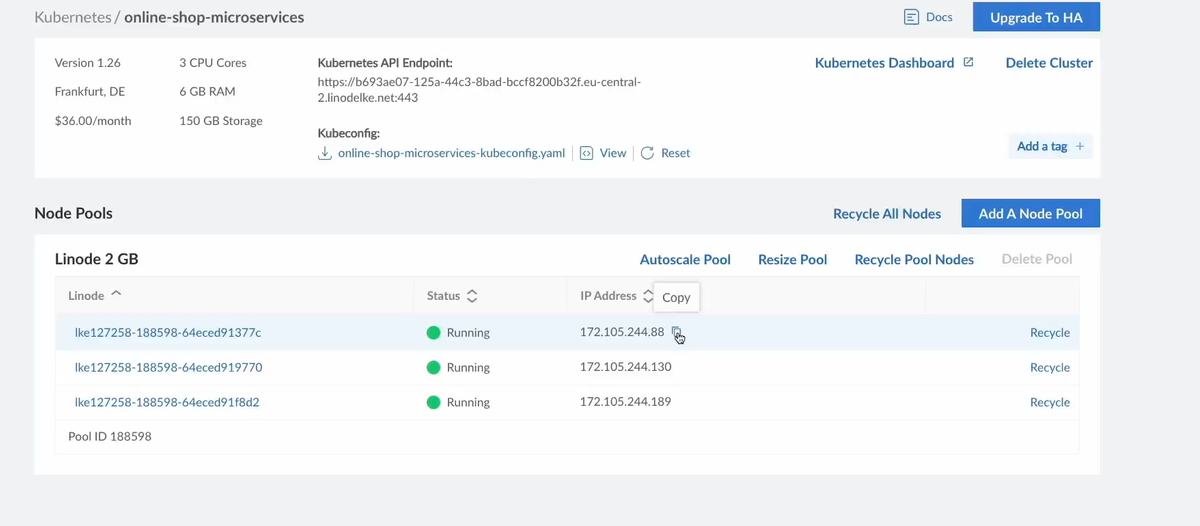
We create a kuberenetes cluster inside Linode and configure it to have 3 worker nodes.
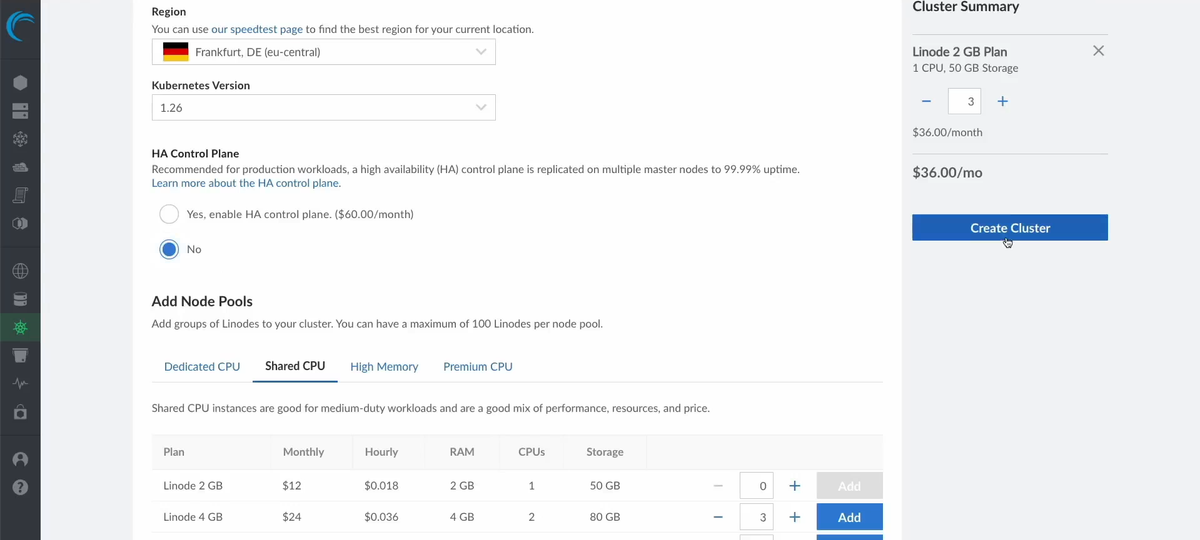
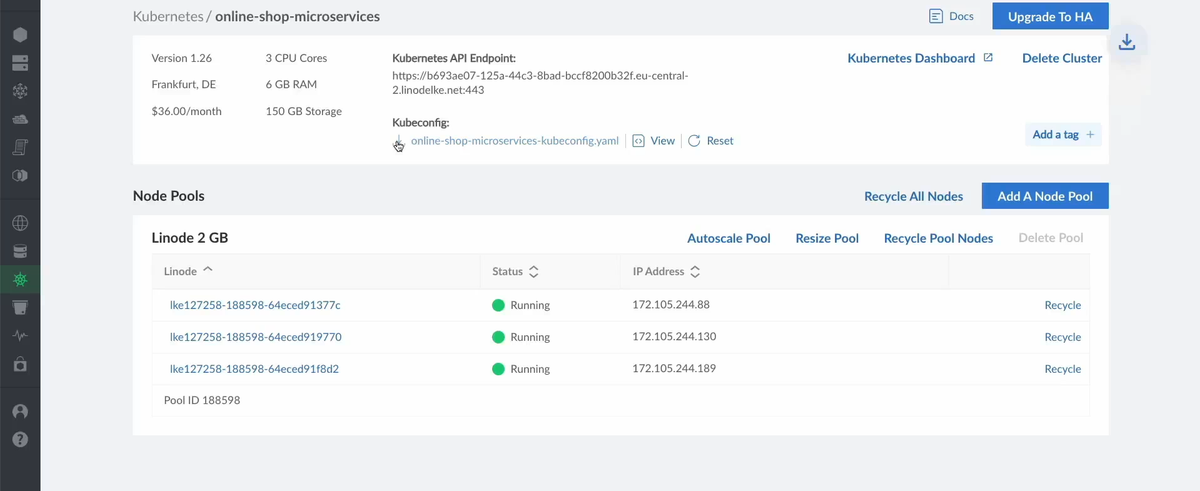
We then connect to our cluster locally using the kubeconfig file provided when the cluster got created.
We create a namespace called microservices where we'll deploy our app there

Then apply our config.yaml file:
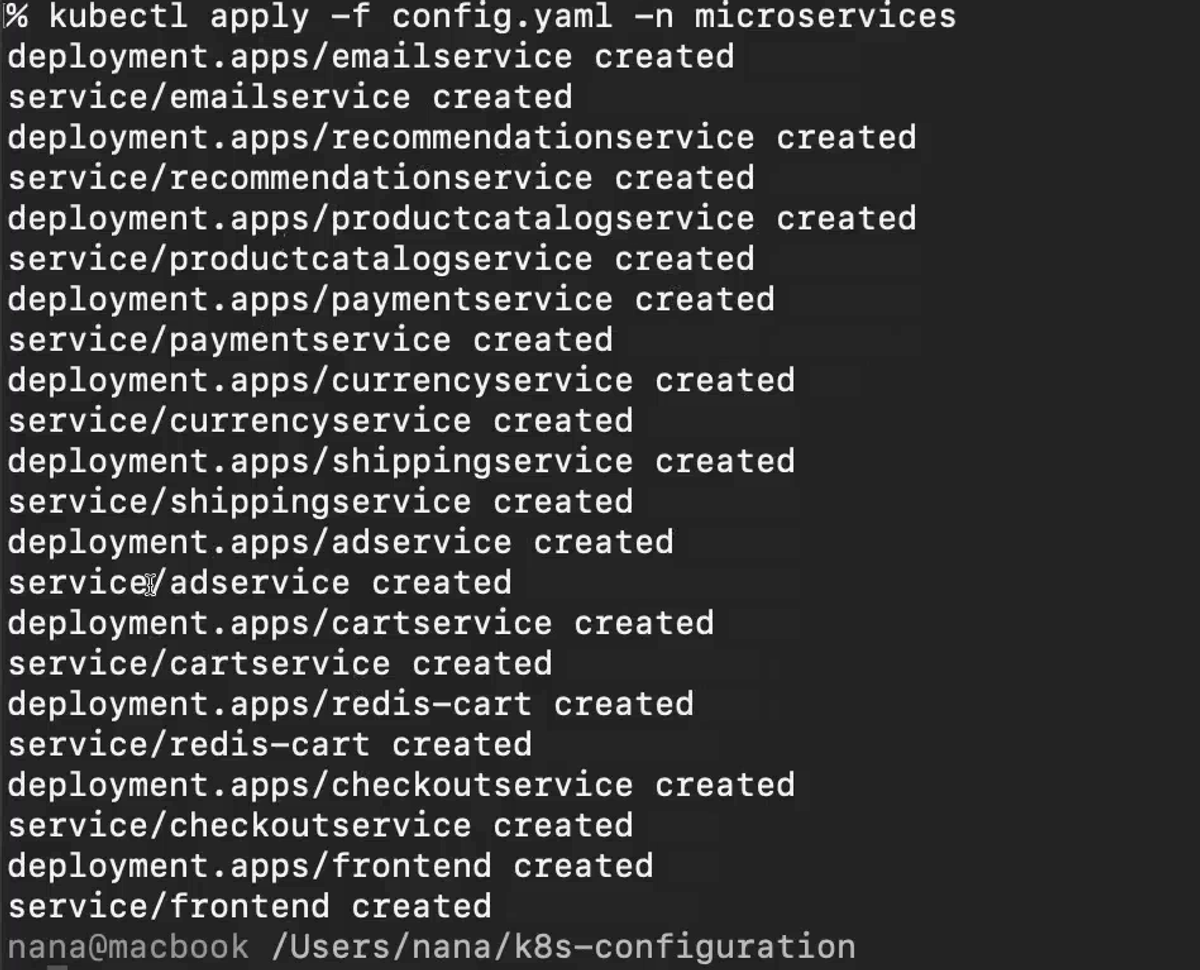
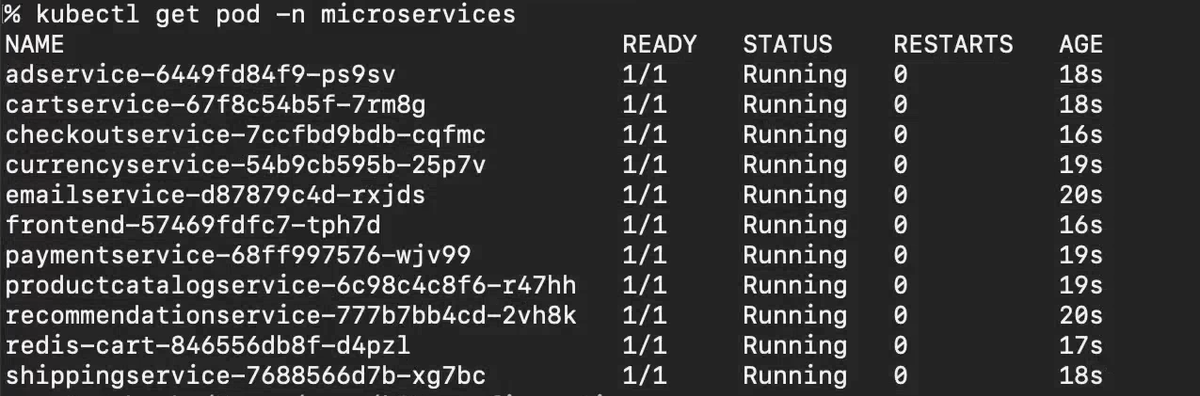
Checking that all our microservices are running and healthy:
Our services, with the frontend being the only one of type NodePort so we can access it from the browser.
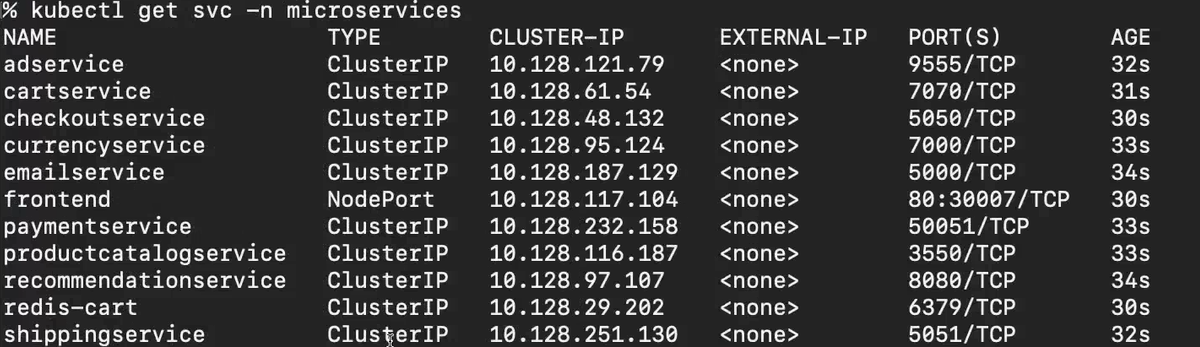
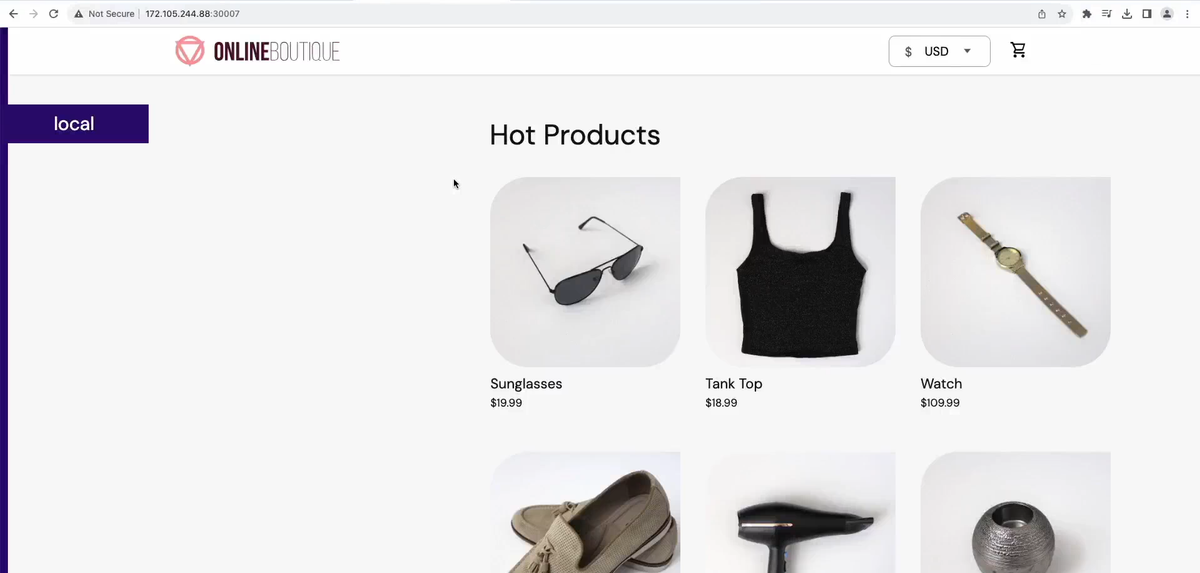
Now we can use any one of our worker nodes' ip address so access our frontend.
Our app live:
Note: This ecommerce uses the microservices architecture. but internal microservices internally communicate with each other internally without passing by an api-gateway. which is not the recommended practice. But the focus on this project was on the kubernetes deployment side of things and not software engineering good practices.