Kafka Realtime Page Analytics
Back to projects
Kafka Realtime Page Analytics is a Spring Boot project that demonstrates real-time event streaming, processing, and live analytics using Kafka, Kafka Streams, and Spring Cloud Stream. It simulates page events, aggregates them in real time, and visualizes the results in a dynamic web dashboard.
Technologies
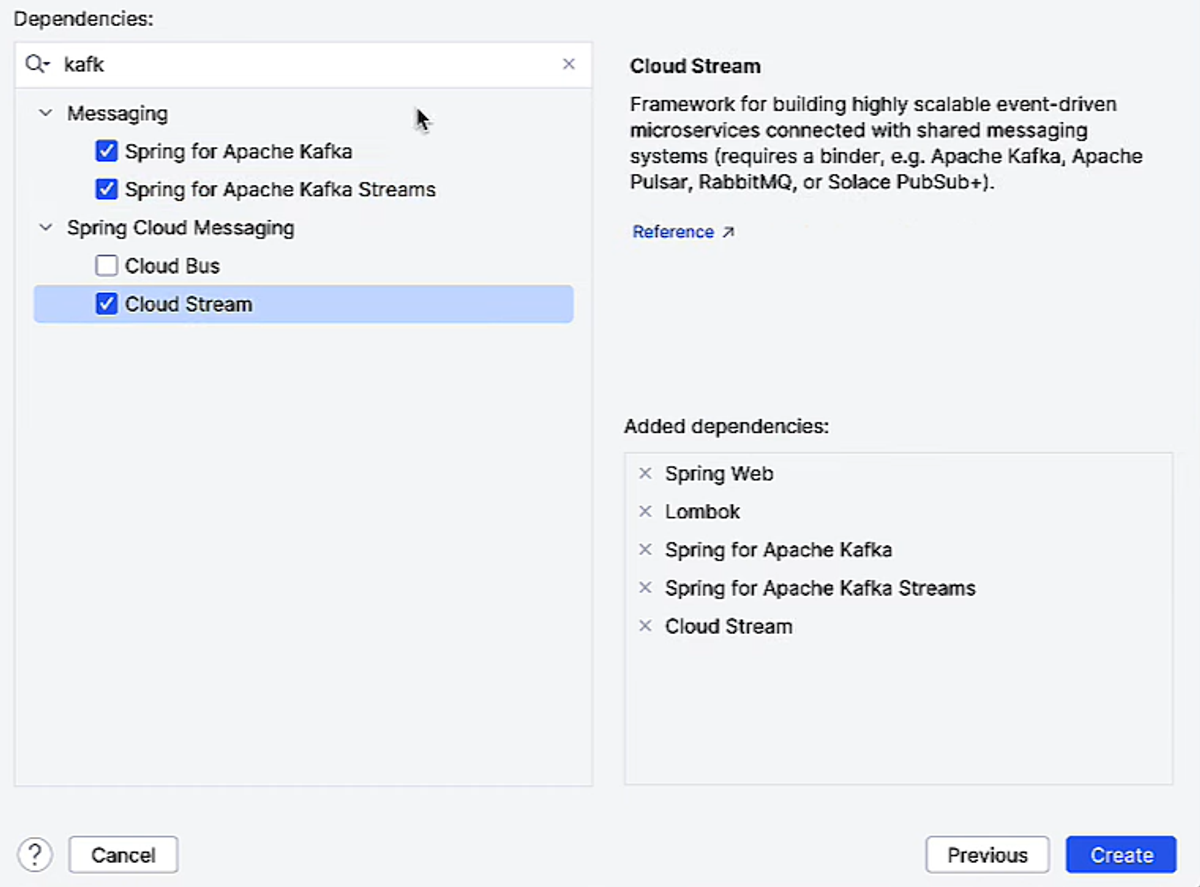
1- Project Setup and Dependencies
When I started this project in IntelliJ, I picked a few key Spring dependencies to make working with Kafka smooth and efficient.
- Spring for Apache Kafka: This is the core library that lets me connect my Spring Boot app to Kafka — produce messages, consume messages, and manage topics. It’s basically the bridge between my Java code and Kafka.
- Spring for Apache Kafka Streams: I chose this because I wanted to do real-time processing of events. Kafka Streams lets me aggregate, filter, and window my data streams right inside my app without needing external processing tools.
- Spring Cloud Stream: This makes Kafka integration even easier by providing a higher-level abstraction. I can just define Supplier, Consumer, or Function beans and Spring handles all the plumbing — polling, serialization, offsets — so I can focus on the logic.
2- Event Model
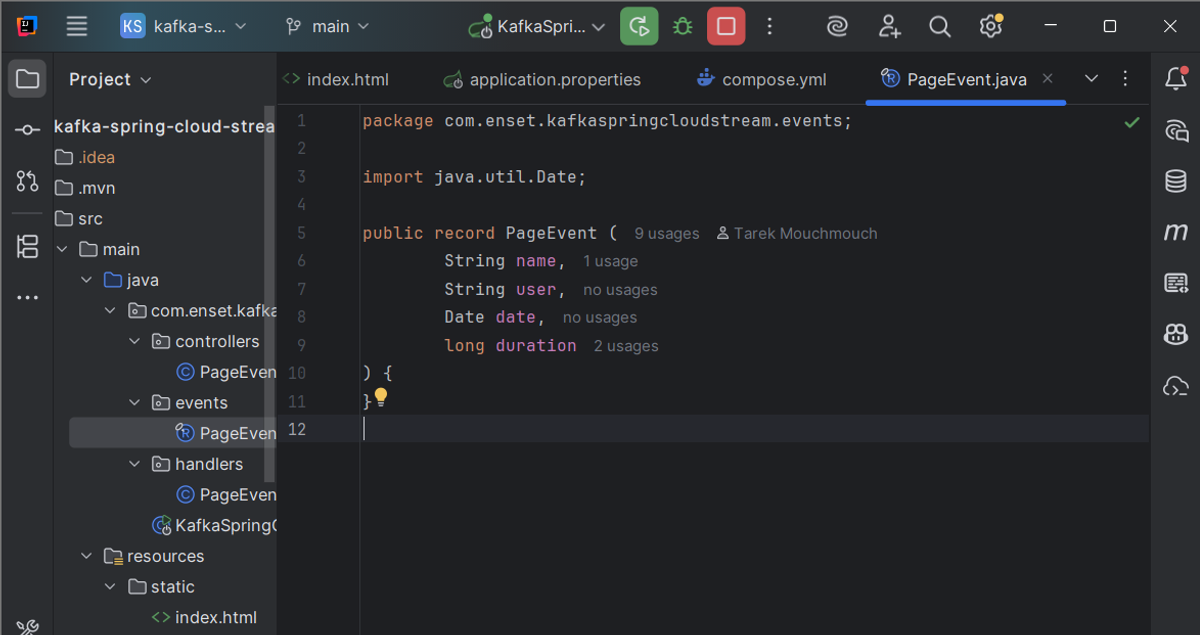
PageEvent.java
I defined PageEvent as a Java record, which is perfect for simple, immutable data objects. Each event has:
- name → the page being visited
- user → the user who triggered the event
- date → timestamp of the visit
- duration → how long the user spent on the page
Records automatically provide getters, toString(), and equals/hashCode, keeping the code clean. Each PageEvent can be serialized and sent through Kafka easily.
3- Producing Events
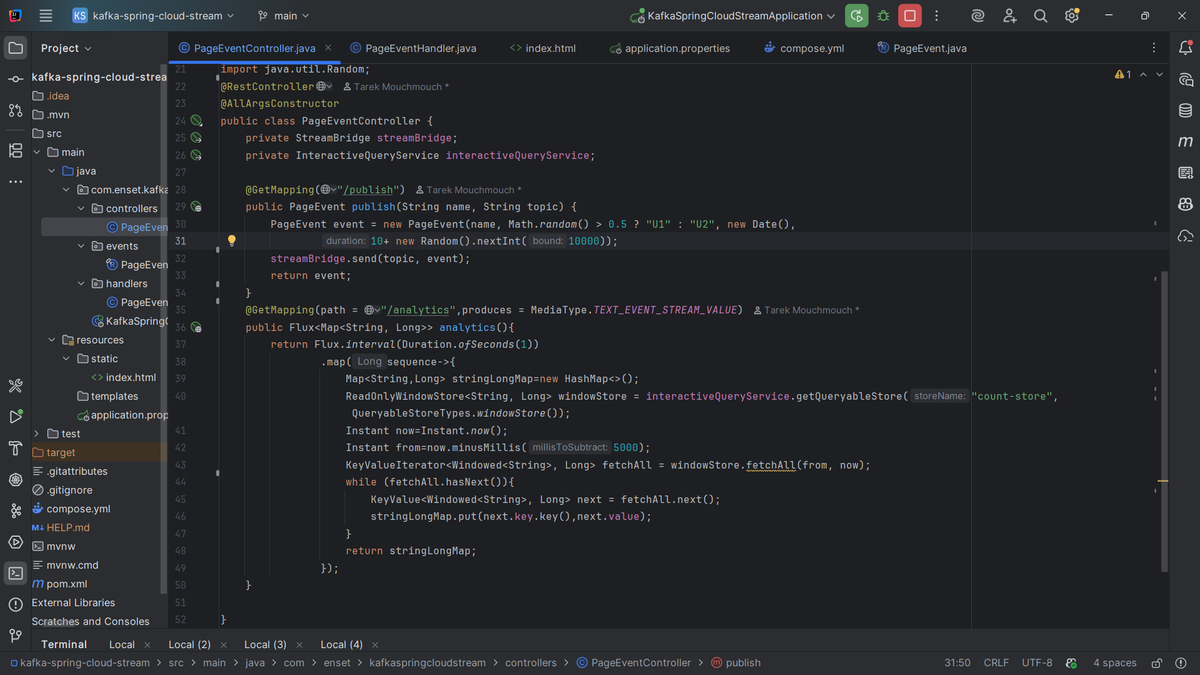
PageEventController.java
In this controller, I simulate user activity by producing events to Kafka.
- The /publish endpoint generates a random PageEvent and sends it to a Kafka topic using StreamBridge.
- StreamBridge handles all Kafka connection details, letting me just focus on sending events.
This part represents the “producer” side of my streaming pipeline.
4- Consuming Events and Stream Processing
PageEventHandler.java
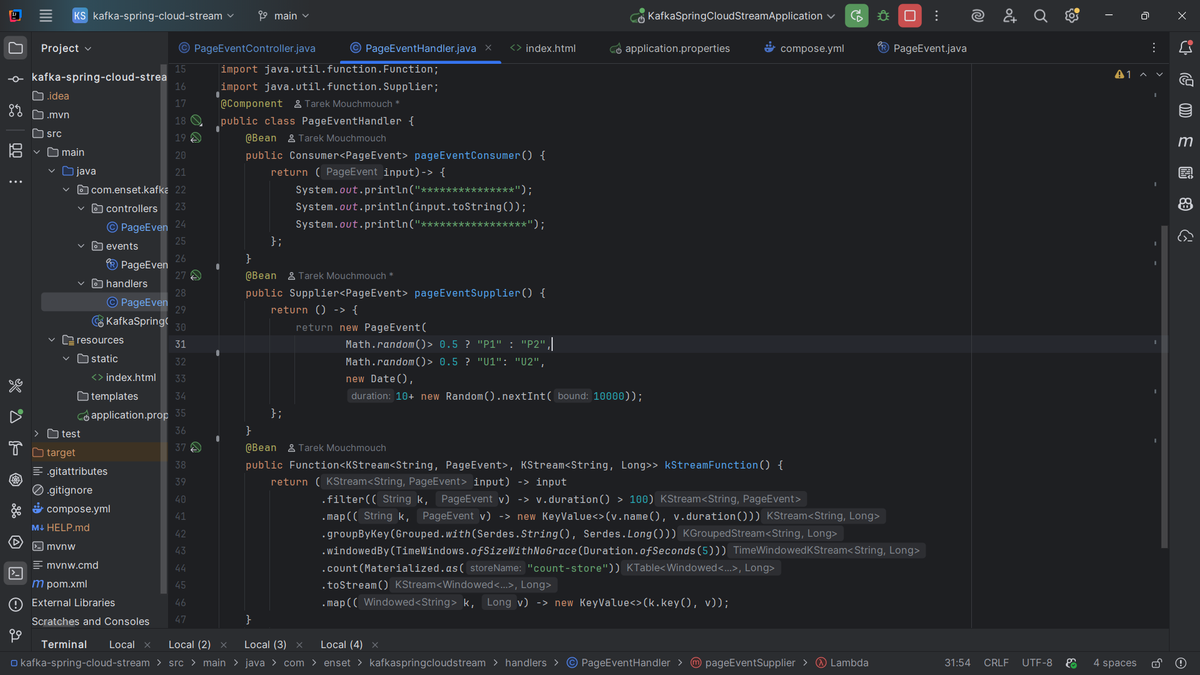
Here I define three Spring Cloud Stream functions:
- pageEventConsumer – a simple consumer that prints incoming events. It shows how to consume messages from Kafka without worrying about polling or offsets.
- pageEventSupplier – a supplier that randomly generates PageEvents and pushes them to a Kafka topic. Perfect for simulating real-time activity.
- kStreamFunction – the real magic. It processes streams of events in real time:
- Filters out short events (duration <= 100)
- Groups events by page name
- Counts the number of events per page in 5-second windows using Kafka Streams
- Outputs a stream of (pageName, count) ready to be sent to another Kafka topic
This shows stateful stream processing and real-time aggregation.
5- Analytics Endpoint
/analytics streaming endpoint
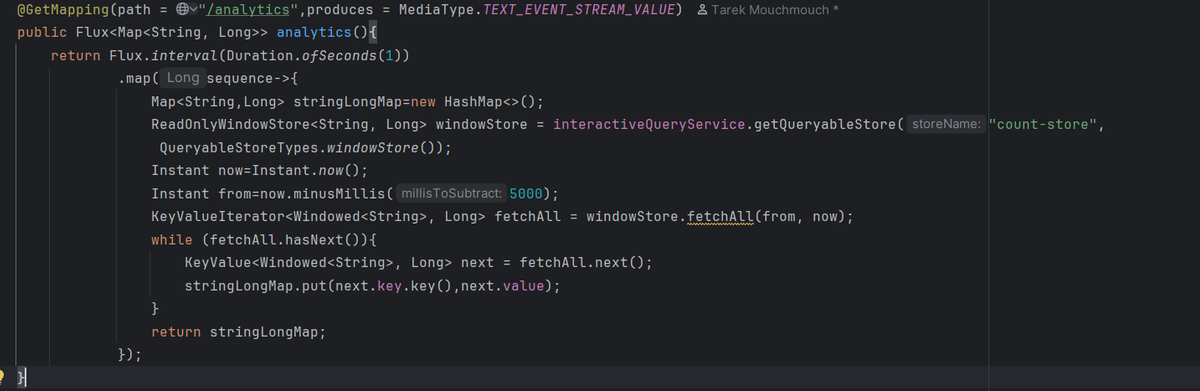
To expose the live analytics, I added an SSE (Server-Sent Events) endpoint.
- It uses InteractiveQueryService to query the windowed counts stored by Kafka Streams.
- The endpoint streams aggregated results every second to the frontend.
This allows me to visualize real-time counts without manually polling or refreshing.
6- Frontend Visualization
index.html
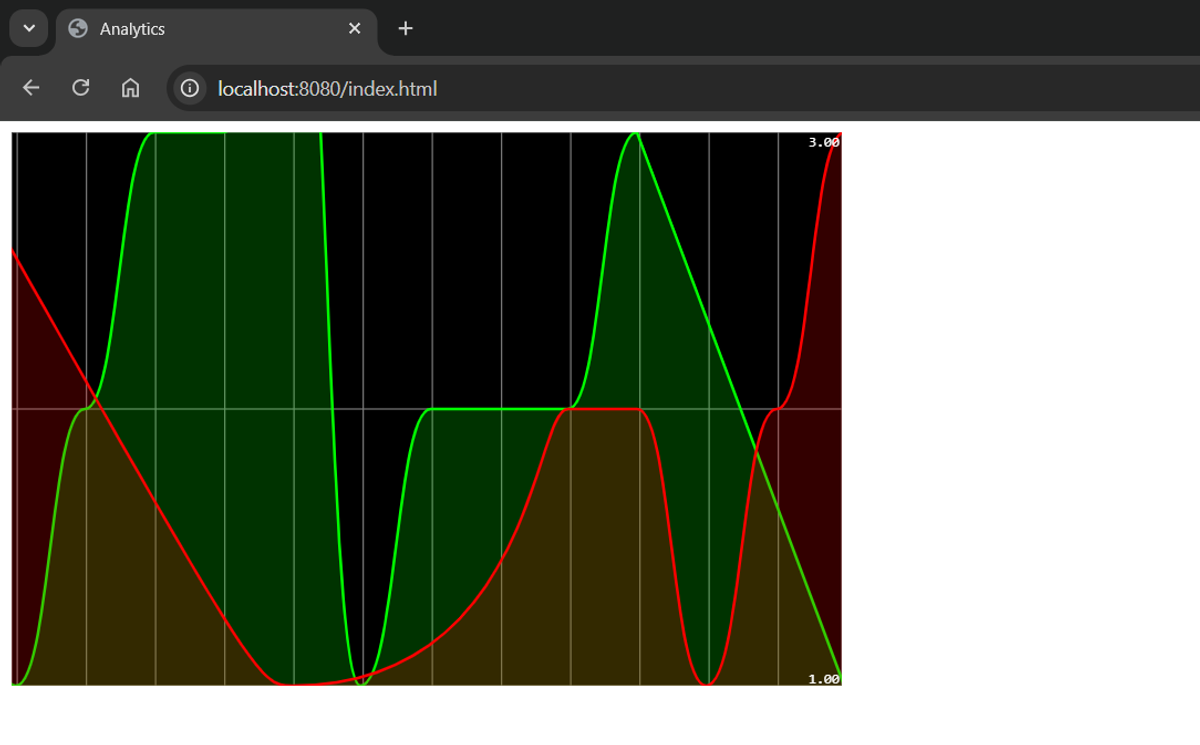
On the frontend, I use Smoothie Charts to display a live line chart of page events.
- The chart updates every second using the SSE stream from /analytics.
- Each page (P1, P2) gets a separate line with a color.
It’s simple but visually demonstrates how events flow from Kafka to real-time analytics in the browser.
7- Configuration
application.properties
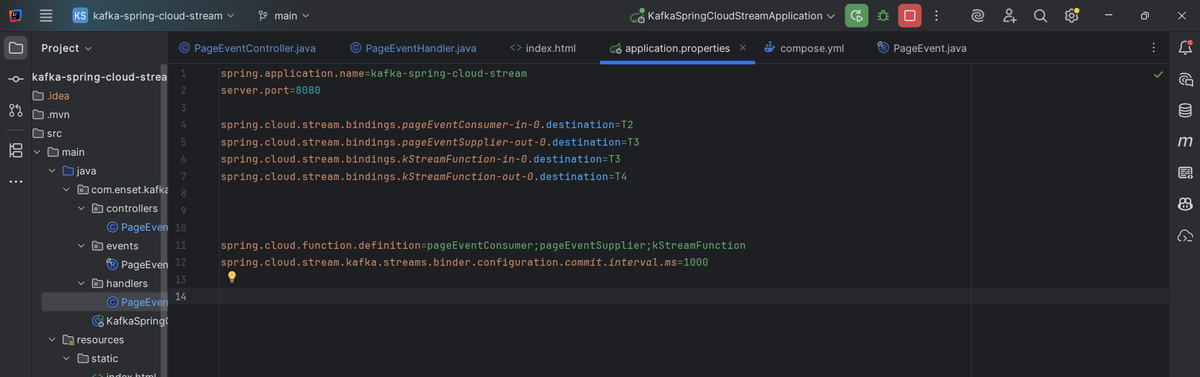
The key properties I configured:
- Bindings between functions and Kafka topics:
- pageEventConsumer → topic T2
- pageEventSupplier → topic T3
- kStreamFunction → input T3, output T4
- spring.cloud.function.definition defines which beans are active
- Kafka Streams commit interval set to 1 second to ensure fast updates
These settings wire my producers, consumers, and stream processing functions together.
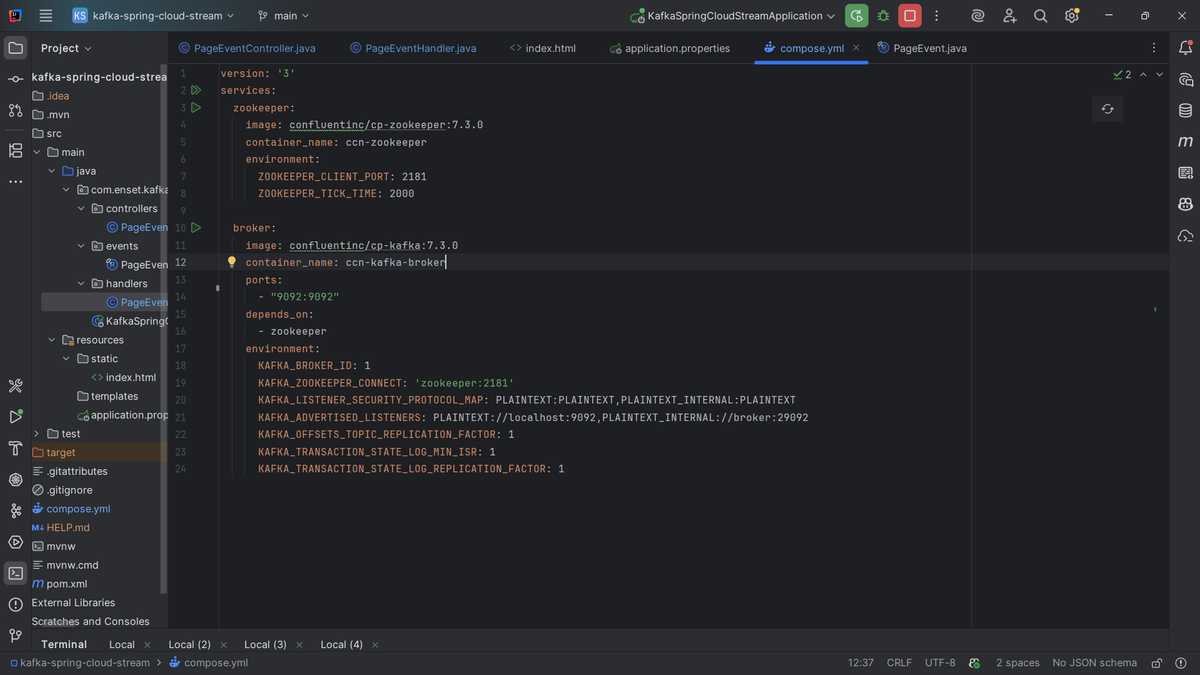
8- Docker Setup
docker-compose.yml
Finally, I used Docker Compose to spin up Kafka and Zookeeper locally:
- Zookeeper: manages Kafka cluster metadata (leader election, partition info)
- Kafka broker: stores topics and messages
Environment variables configure ports, broker ID, listener addresses, and replication factors. With this, I can run the whole system locally without installing Kafka manually.